You’re deep in Claude Code, building something, and you need to ping Slack or query your database or hit an API. Right now you either memorize the docs or copy the endpoint details into the prompt by hand.
There’s a better way: MCP servers.
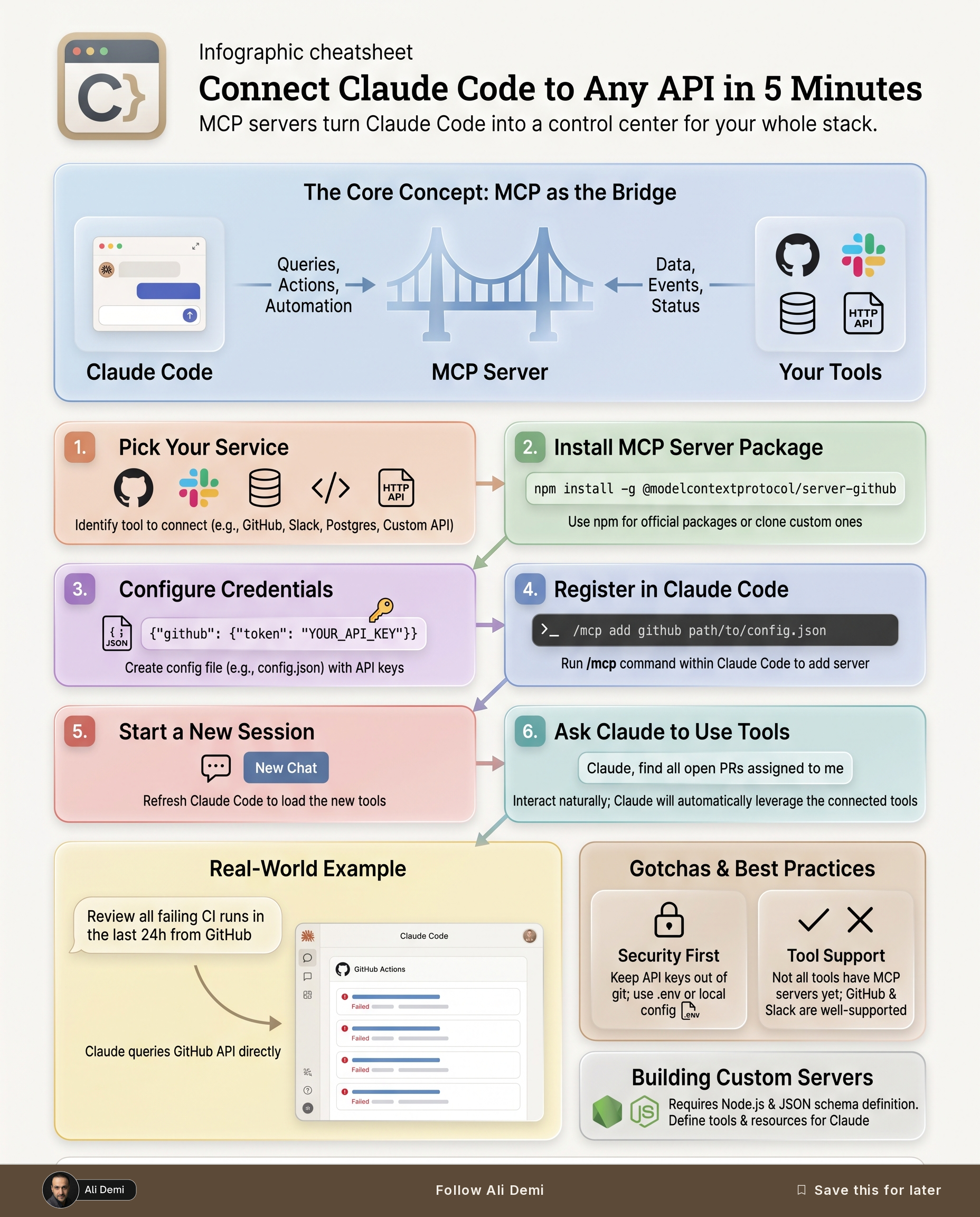
MCP (Model Context Protocol) is the USB port for AI. Plug in an MCP server once, and Claude Code can call that tool natively, inside your prompts, without you fishing for credentials or spelling out API details every time.
The 5-minute setup:
1. Pick your tool (GitHub API, Slack, a database driver, whatever). Check if an MCP server exists for it.
2. Install or configure it. Most live in npm, npm install at-server-github or similar.
3. Open Claude Code. Run /mcp to open the MCP manager.
4. Point it at your server config (usually a JSON file with the server command and your API keys).
5. Start a new session. The server’s tools show up automatically. Ask Claude to use them.
Real example: Wire the GitHub MCP server, then ask Claude, “Review the last 3 PRs and tell me which ones have failing CI.” It hits GitHub’s API, reads the PR data, and reports back. No copy-paste. No manual API calls.
The gotchas:
MCP servers need valid credentials. Stick your API key in the config file, keep it out of version control, and treat it like any other secret. Custom servers need Node.js and a JSON schema definition, which is doable but takes longer than using a pre-built one.
Not every tool has an MCP server yet. Start with the popular ones: GitHub, Slack, linear, built-in database drivers, and the Anthropic-maintained servers. If your tool doesn’t have one, you can build one, but that’s a longer project.
Why this matters: MCP servers collapse the gap between Claude and your stack. No more context-switching. Claude becomes a real control center, not a sandbox.
——
Book your free AI clarity call, NOW!
https://buff.ly/TpWy277
——
Repost this. Thanks!