Tag: cost optimization

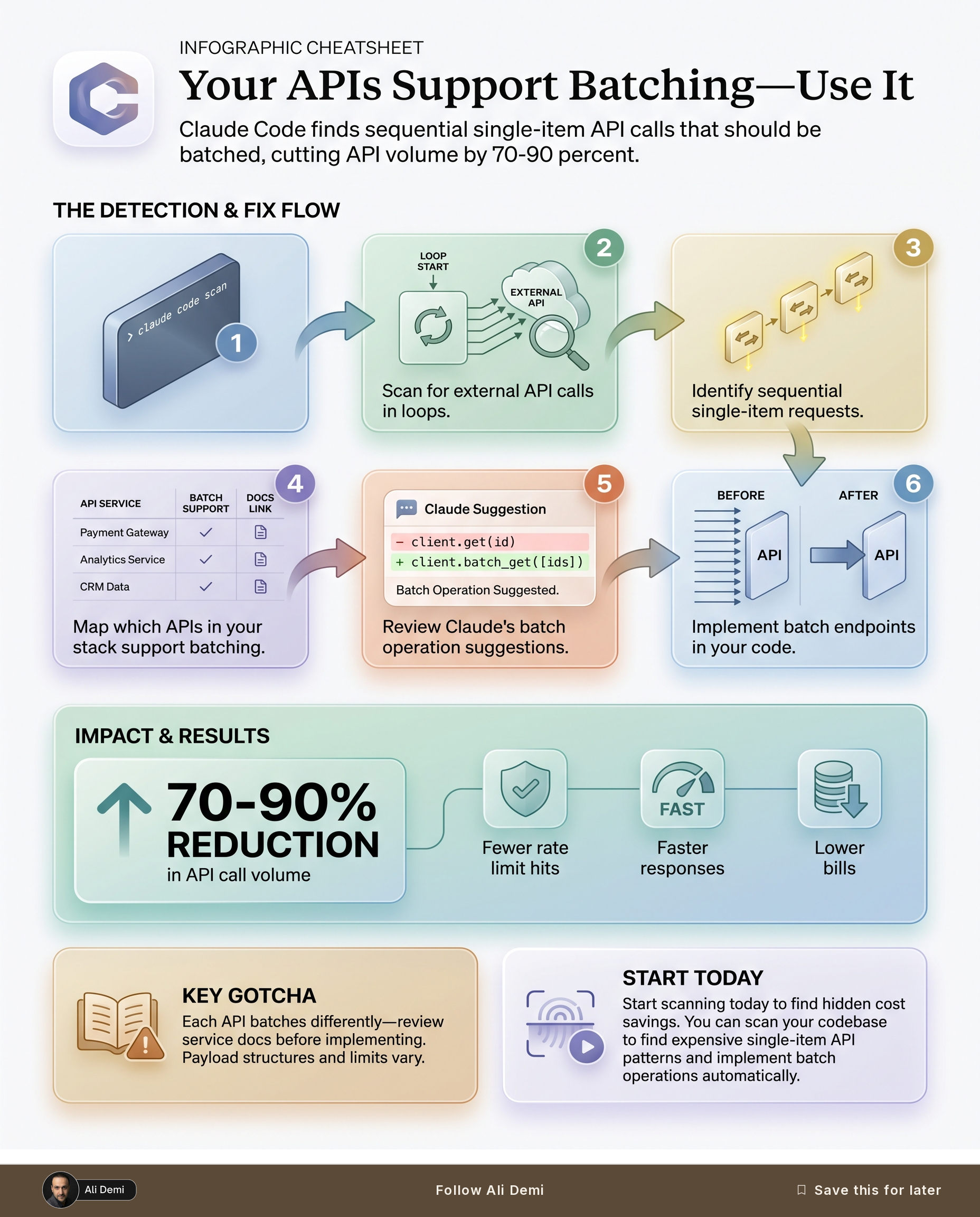
  • Stop Making Single API Calls: Find Batching Opportunities Automatically

    Stop Making Single API Calls: Find Batching Opportunities Automatically

    You make a Stripe API call to charge a card.
    Then another to delete a webhook.
    Then three more to sync customer records.

    That’s five separate API calls when Stripe’s batching API could do them in one request.

    Same story everywhere: GitHub’s GraphQL lets you fetch twenty repositories in one call, but your loop hits the REST API twenty times. Slack has a batch endpoint, but you’re calling it once per message. SendGrid supports batch sending, but your code loops and sends individually.

    You’re paying per-request for APIs built to batch.

    Claude Code finds these patterns. It scans your codebase, spots loops making single-item API calls, maps which services support batching, and shows you exactly where to batch.

    The result: 70 to 90 percent fewer API calls. Your code gets faster. Your bill gets smaller.

    ——

    Book your free AI clarity call, NOW!
    https://buff.ly/TpWy277

    ——

    Repost this. Thanks.
  • Your CI Bill is Out of Control: Cut Costs Without Cutting Speed

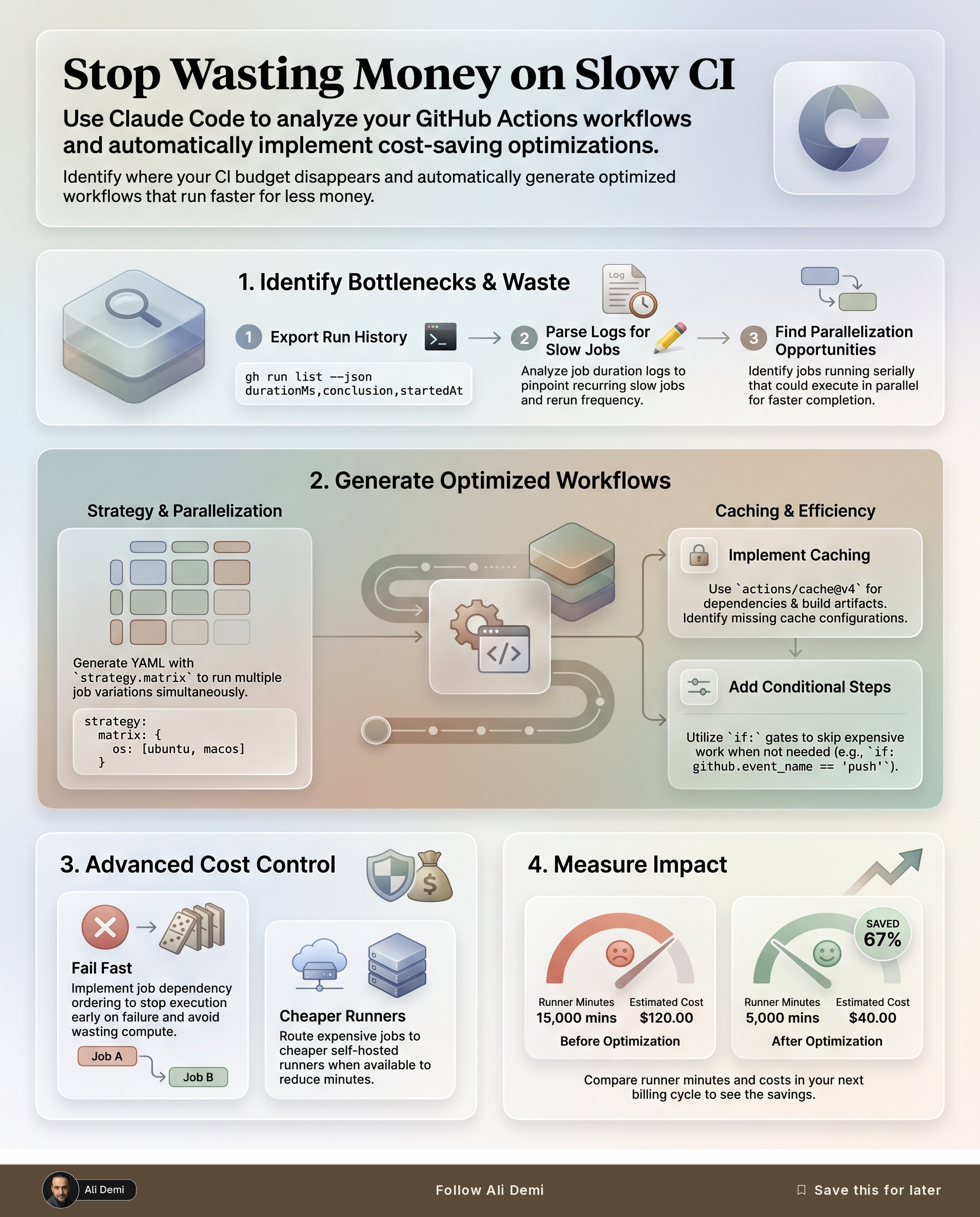
    Your CI Bill is Out of Control: Cut Costs Without Cutting Speed

    Your GitHub Actions bill is climbing. Every slow job, every cache miss, every redundant run costs money. But you can’t just kill jobs-your team needs fast feedback.

    The real problem: your workflow was built to work, not to be optimal. Dead code branches in CI jobs. Missing caching. Jobs that could run parallel but don’t. Re-runs of expensive tests on flaky failures.

    Claude Code can read your run history, spot the waste, and rewrite your workflow automatically.

    Here’s how:

    1. Export your GitHub Actions run history with the GitHub CLI. Claude reads the wall-clock time each job took, how often it failed, which jobs always wait for others to finish.
    2. Claude identifies the patterns: which jobs are your cost drivers, which ones block everything else, which ones have cache misses you could fix.
    3. Claude generates an optimized workflow YAML. Parallel job groups that run together. Strategic caching to avoid rebuilding what hasn’t changed. Conditional steps that skip expensive work when it’s not needed. Smart runner assignment so expensive compute runs on cheaper hardware.
    4. Push the new workflow. Watch your next billing cycle.

    The best part: Claude doesn’t just guess. It quantifies the waste. You see exactly how many runner minutes you’re burning on re-runs, unused cache, and serial job chains that could be parallel.

    Teams routinely cut 30-50% from their CI spend this way-and the pipeline runs faster because fewer jobs block each other.

    ——

    Book your free AI clarity call, NOW!
    https://buff.ly/TpWy277

    ——

    Repost this. Thanks.