You’re waiting for CI to finish. A test failed. Your teammate went home.
Normally, you’d have to wake up tomorrow and dig through the logs. Not anymore.
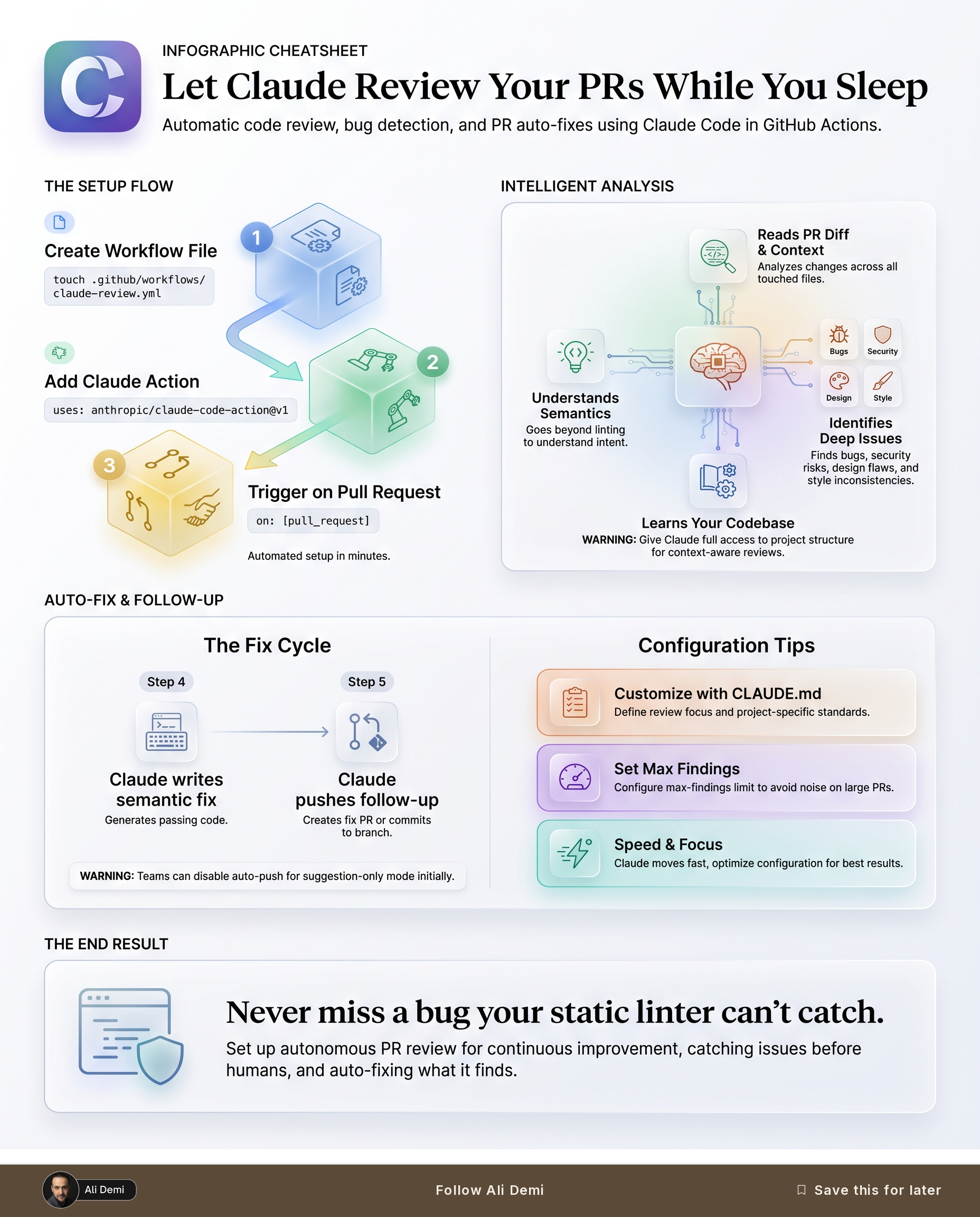
You can deploy Claude Code as a persistent GitHub bot that wakes up on webhook events-CI failures, pull request reviews, new issues-and runs for hours, iterating on your codebase in real time. It runs tests, reads the output, fixes the code, and pushes the result back without you touching the keyboard.
Here is how it works:
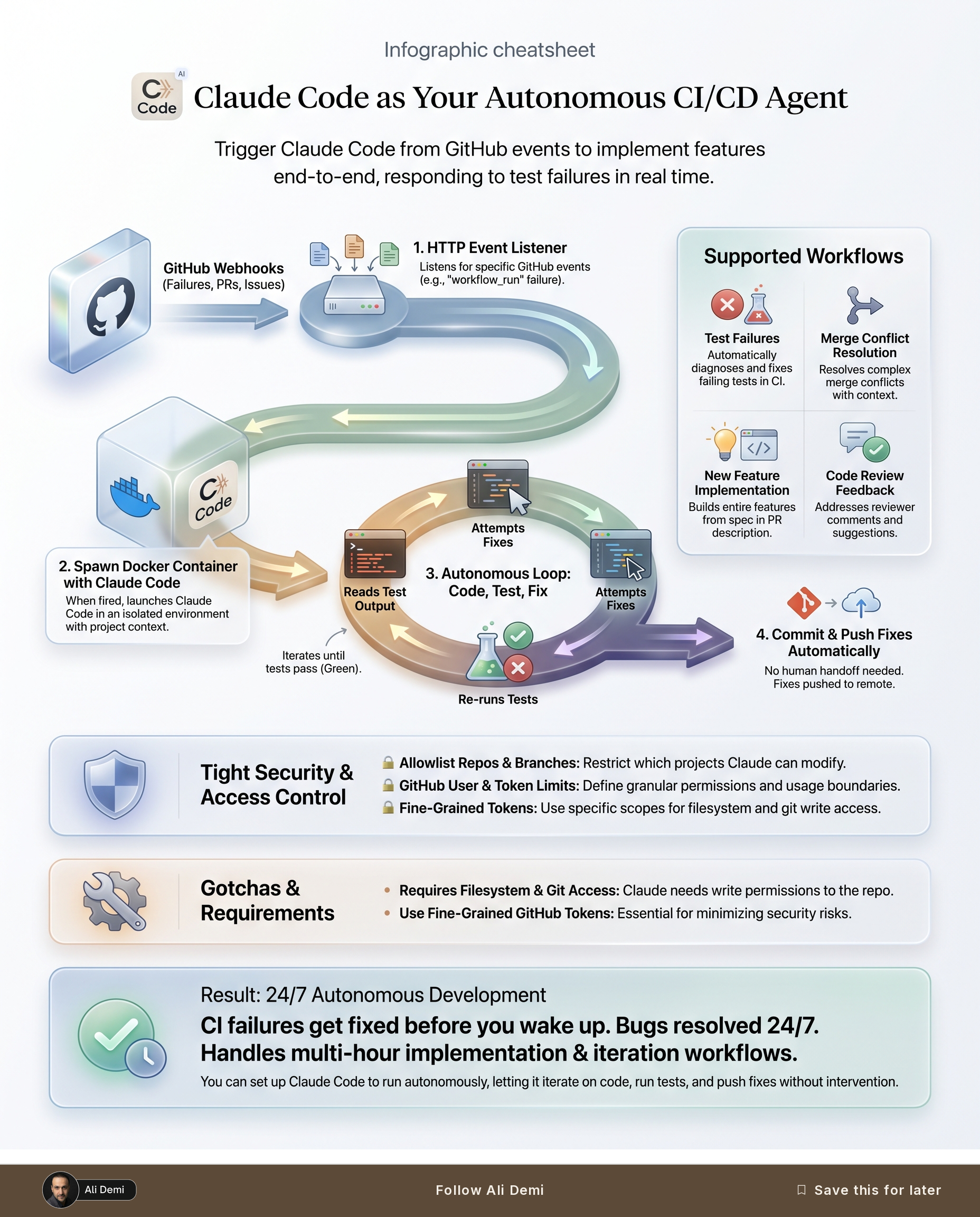
1. Set up a webhook listener. Deploy a simple HTTP service that listens for GitHub events (push, pull request, workflow failures). This can live on any cloud service-AWS Lambda, Railway, DigitalOcean-anywhere you can run a Docker container.
2. Trigger Claude Code in a container. When an event fires, spawn a Docker container that launches Claude Code with a prompt. Point it at your repo folder, give it the context (what test failed, what the error was, what branch to work on), and let it go.
3. Claude Code iterates in a feedback loop. It reads test output, tries fixes, re-runs tests, and repeats until they pass. It commits and pushes automatically. No human in the loop.
4. Security is built in. Use GitHub token allowlists, webhook signature validation, and fine-grained permissions so Claude only touches the branches and repos you authorize. Only allow specific users to trigger the bot.
Real example: A test fails on your main branch. The webhook fires. Claude Code spins up, reads the error, tries three fixes, gets green on the second attempt, commits with a message, and pushes back to main. You wake up to a passing build.
The gap it fills: Hooks and basic automation handle single tasks. This pattern runs multi-hour workflows-implementation, testing, iteration, and deployment-triggered once and left alone.
The gotcha: Your Claude Code instance needs filesystem access and git write permissions. That is why token allowlists matter. Be explicit about what repos and branches it can touch.
Why this matters: You get always-on development without hiring 24/7 staff. Reduce on-call friction. Fix bugs before you wake up. Ship features while you sleep.
——
Book your free AI clarity call, NOW!
https://buff.ly/TpWy277
——
Repost this. Thanks.