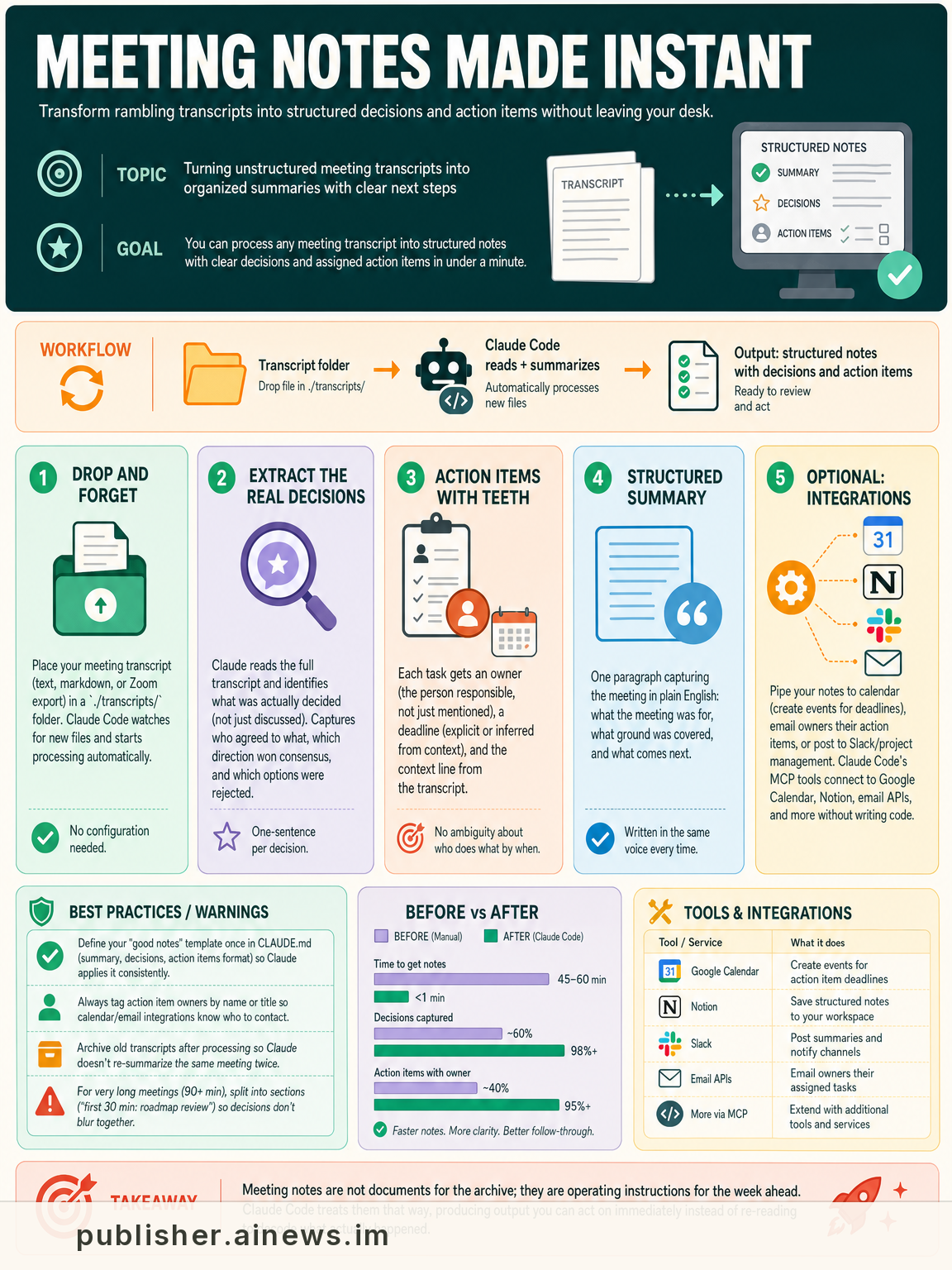
Meeting transcripts arrive as text files, Zoom .vtt exports, or voice memo dumps. Most teams manually scan them: highlight action items, note who owns what, spot the decisions, write a summary email. Claude Code can read transcripts from a folder, extract structured data, and save multiple outputs in one pass.
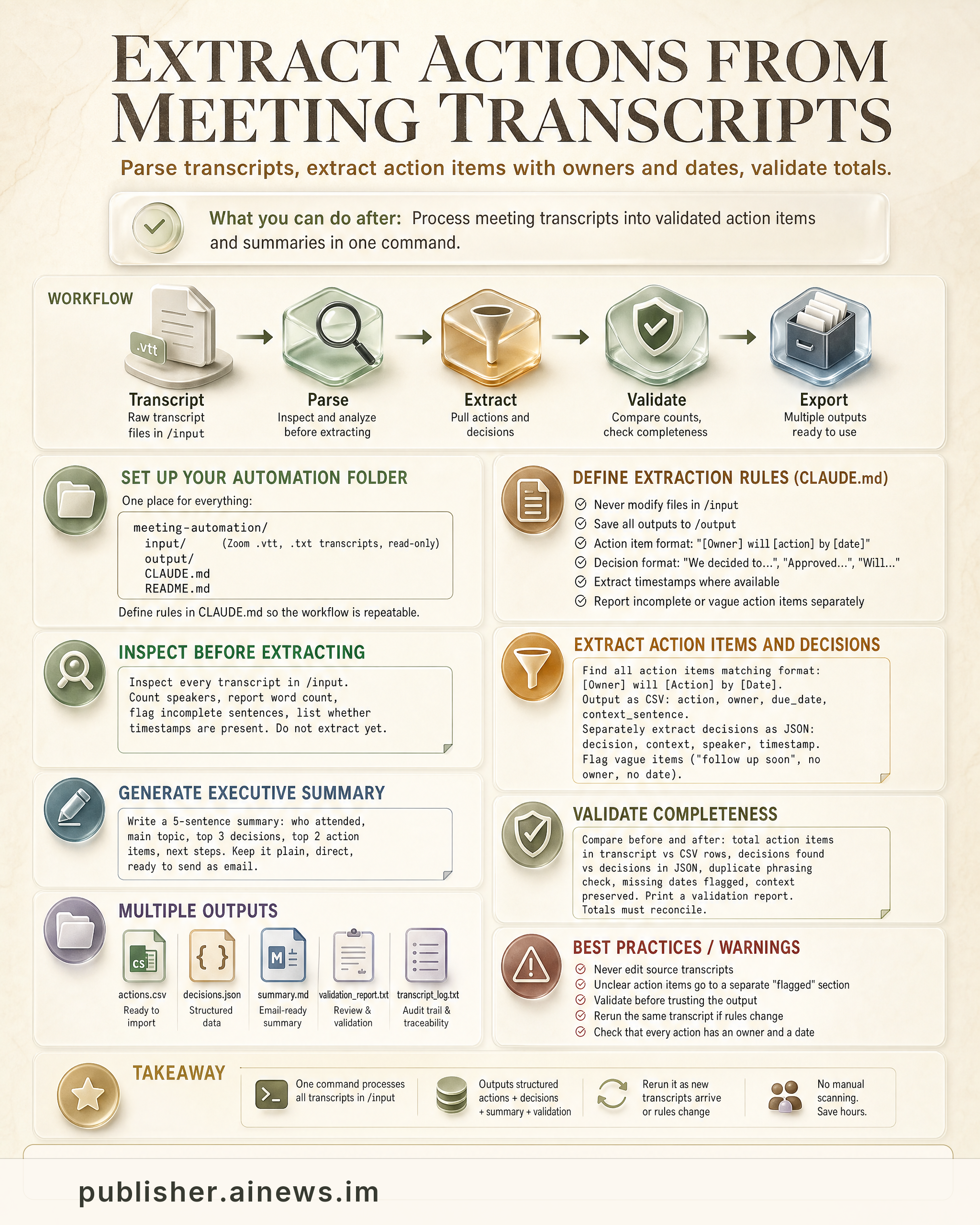
Start with a project folder: an /input directory for transcripts (read-only), an /output folder for results, and a CLAUDE.md file that defines extraction rules. Rules matter. Define what counts as an action item: “X will do Y by DATE” is clear; “follow up soon” is not.
Ask Claude to inspect first. Count speakers, report word count, flag incomplete sentences, list timestamps present or missing. Do not extract yet. Then define the rules: extract action items with owner, deadline, and context. Extract decisions separately. Generate a 5-sentence summary. Output three files: actions.csv, decisions.json, and summary.md.
Before export, validate. Compare total action items mentioned in the transcript vs items in the CSV. Check for duplicates phrased differently. Report any action items that mention dates vs those that don’t. A validation report shows what was captured and what might have been missed.
Once it works, rerun it with one command across all new transcripts. The output is ready to paste into project trackers or send as a follow-up email.
Book your free AI clarity call, NOW!
https://buff.ly/TpWy277
Sources:
https://docs.anthropic.com/en/docs/claude-code/overview
Repost this. Thanks.