Someone on your team finds a package on a blog post.
They install it. It works. It ships.
Nobody checked who publishes it, when it was last updated, what licence it carries, or what its install script does on the way in.
That is the moment most supply chain problems start. Not at review, not at deploy. At the install.
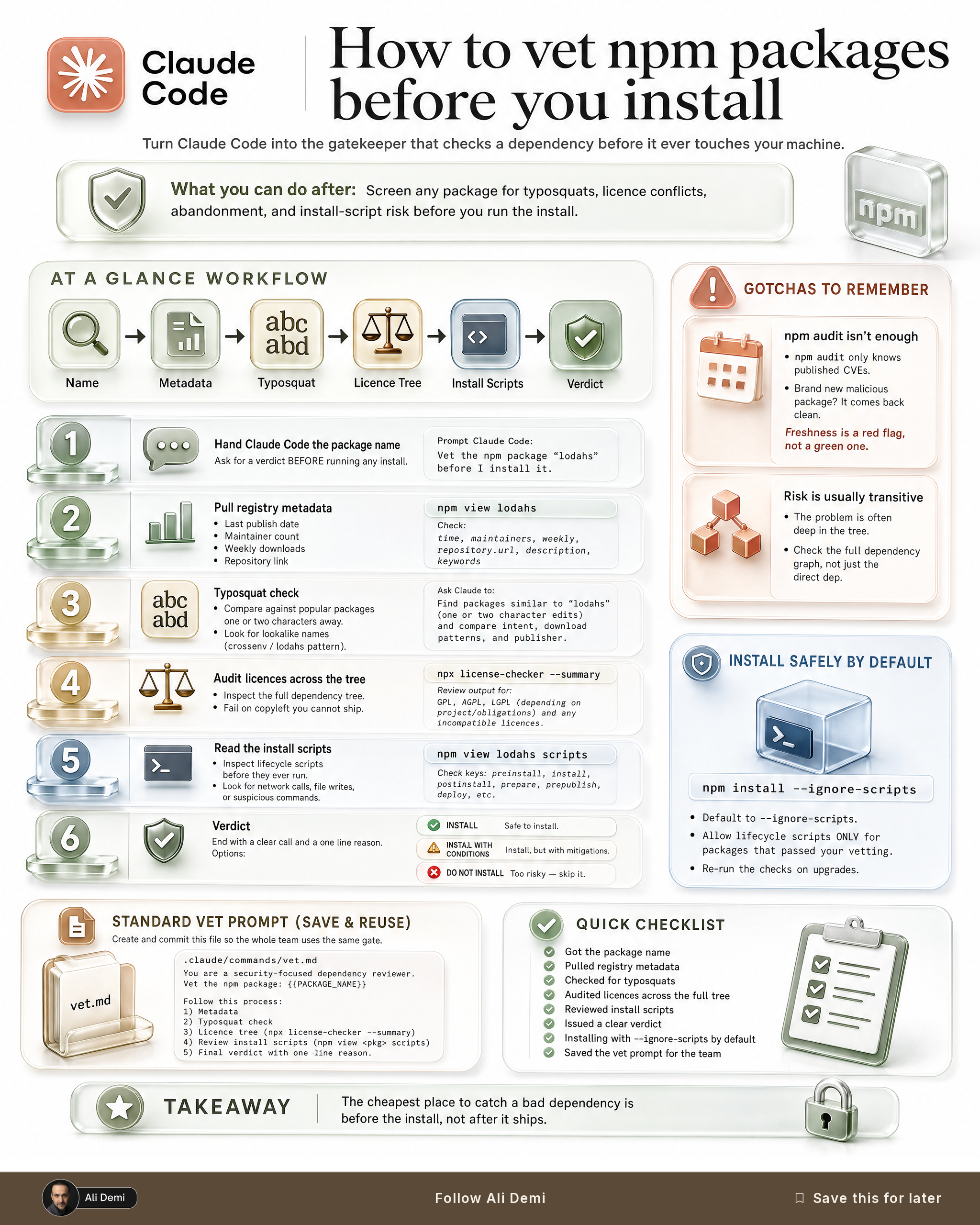
Claude Code is good at this check because it is a research task, not a scan. It reads the registry metadata, compares the name against real packages, reads the licence tree, and reads the install scripts. Then it gives you a verdict.
Here is the flow.
- Ask before you install. Give Claude the package name and tell it to report back before anything is added.
- Pull the registry metadata. Last publish date, number of maintainers, weekly downloads, repository link. A package with one maintainer and no commits in two years is a maintenance risk even if it is clean today.
- Run the typosquat check. Have Claude compare the name against the popular packages it is one or two characters away from. The classic attacks are a swapped letter or a dropped one, and they get thousands of installs before anyone notices.
- Audit the licence, including the tree. Ask for every licence in the full dependency graph, not just the direct package. Strong copyleft buried three levels deep is still copyleft in your proprietary build.
- Read the install scripts. Preinstall and postinstall hooks run with your shell permissions the second you install. Have Claude print them and explain what they do in plain words.
- Get a verdict, not a dump. Tell Claude to end with install, install with conditions, or do not install, and to say why in one line.
Two things worth knowing.
First, a vulnerability audit only knows about published CVEs. A malicious package uploaded yesterday has no CVE yet. A clean audit result on a brand new package is not reassurance, it is silence.
Second, the risk almost never sits in the package you chose. It sits in the forty packages it pulls in behind it. Check the tree.
Once the check works, save the prompt as a custom slash command in your project so the whole team runs the same one. And set your installs to skip lifecycle scripts by default, then allow them only for packages that passed.
The cheapest place to catch a bad dependency is before the install, not after it ships.
——
Book your free AI clarity call, NOW!
https://buff.ly/TpWy277
——
Repost this. Thanks.