Your dashboard lives in the terminal, but building it shouldn’t feel like a battle.
Textual and Rich let you build professional terminal interfaces: CSS-like styling, responsive layouts, interactive widgets, mouse support, animations. But the code is dense. Widget hierarchies sprawl. Styling takes forever. You’re threading event loops just to wire up a button.
Claude Code changes that.
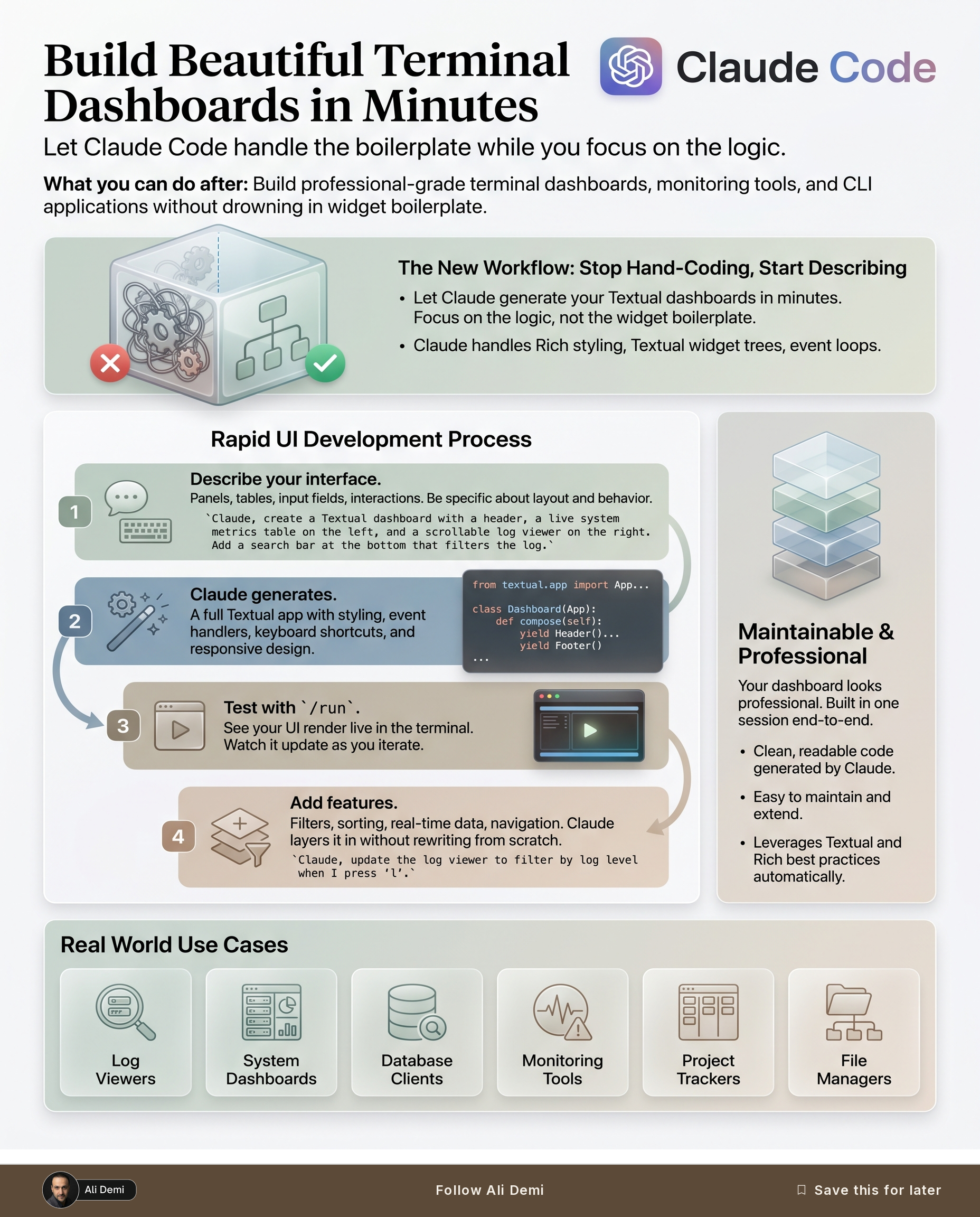
Describe what you want. A log viewer with search. A system metrics dashboard. A database browser. Claude generates the full interactive app-styling, event handlers, keyboard shortcuts, the works. You test it live with `/run`. See it render in real time. Iterate. Done.
One session. Professional result.
The workflow is simple. Tell Claude the layout and widgets you need. Be specific: which panels go where, what tables display, how users interact. Claude generates a complete Textual application.
Then use `/run` to test. The UI renders instantly in your terminal. Want to add a filter? A new panel? Tweak the color scheme? Tell Claude. It regenerates and you watch the changes live.
The result is clean, readable Python code that you own. Not a generated blob. The styling makes sense. The event handlers are clear. Need to customize later? You can.
This beats every alternative. Hand-coding widget hierarchies is tedious and error-prone. GUI builders lock you into thinking. This approach is faster, produces better code, and stays under your control.
Build it once, own it forever.
——
Book your free AI clarity call, NOW!
https://buff.ly/TpWy277
——
Repost this. Thanks.