You’re hunting for where you handle payment failures. You don’t know which service owns it. You don’t know what the function’s called. You grep for “payment” or “fail” and get 47 false positives. You dig through each one. You waste an hour.
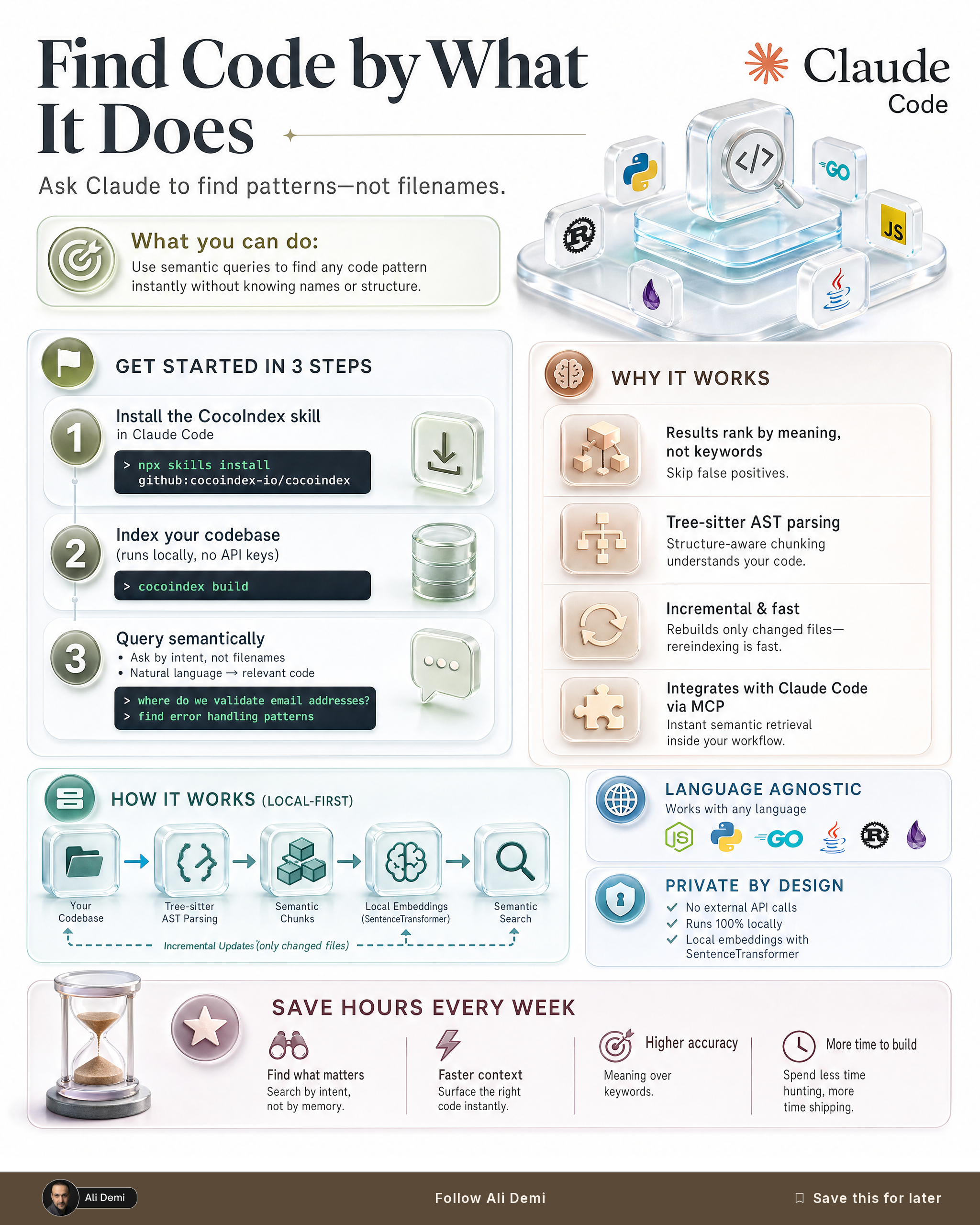
Semantic code search changes that. Instead of guessing keywords, you ask Claude in natural language. “Find where we validate payment input” or “Show me how errors get logged to external services.” Claude understands what the code does, not just what it’s called. It returns exactly what you need.
Here’s how to build it in minutes.
Step 1: Install the CocoIndex skill. CocoIndex is an open-source semantic indexer built for Claude Code. It parses your codebase with Tree-sitter (AST-aware, so it understands code structure), embeds chunks locally using SentenceTransformer (no API keys), and stores them searchably.
Step 2: Index your codebase. One command builds the semantic index. It’s incremental, so reruns only touch changed files. A 10K-file codebase takes minutes.
Step 3: Search semantically.” Now you ask questions instead of guessing. “Where do we retry failed API calls?” or “Show me all database access that skips permission checks.” Claude returns code snippets ranked by semantic relevance, not keyword match.
No more guessing filenames. No more manual file-by-file review. You ask, Claude finds. It works across patterns that have different names, different files, different implementation styles.
The math is brutal: benchmark data from 2026 shows semantic search cuts wasted reads by 75% compared to grep. On a large codebase, that’s hours saved per week.
——
Book your free AI clarity call, NOW!
https://buff.ly/TpWy277
——
Repost this. Thanks.
Leave a Reply