Your analysts spend half their time writing SQL for questions that take five minutes to answer.
Your business users wait days for simple data questions, and your team spins in that cycle.
What if your team could just ask their database questions in plain English?
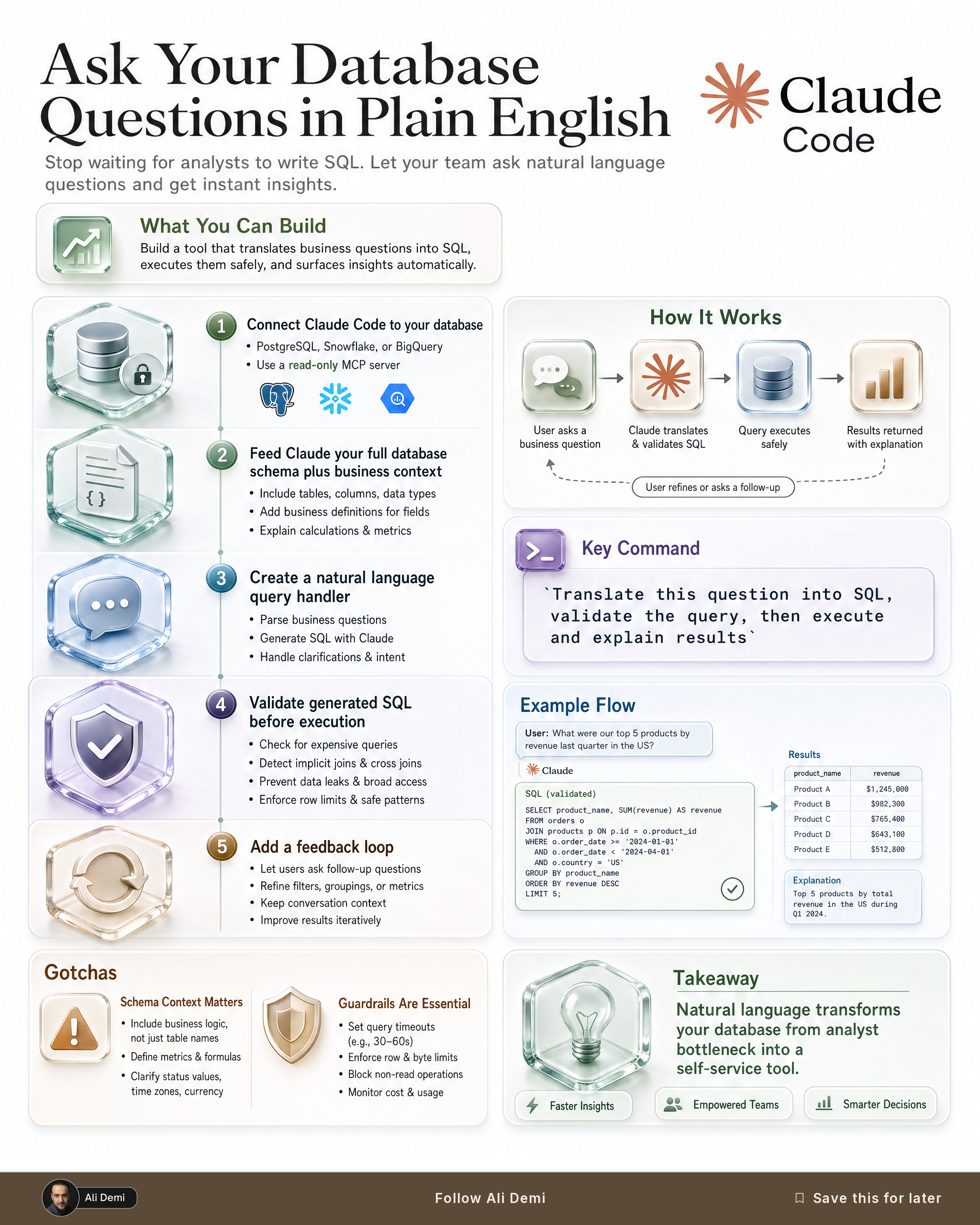
Claude Code can translate natural language questions directly into SQL, validate the queries, execute them safely, and explain the results back in plain English.
Here’s how to build it:
- Connect your database. Use Claude Code with a read-only MCP server to Postgres, Snowflake, or BigQuery. Set up separate credentials for query execution so Claude can’t write or delete.
- Feed the schema. Paste your database schema into context, but include the business dictionary too. “Users table has a revenue field” isn’t enough. Say what revenue means to your business, how it’s calculated, which fields are test data.
- Write a question handler. Create a function that takes plain English input, asks Claude to generate SQL, validates it for cost and safety, executes it, and surfaces the results with an explanation.
- Validate before you execute. Use Claude to review generated queries for red flags: expensive full table scans, implicit joins that might miss data, queries against tables users shouldn’t see.
- Add a feedback loop. Let users ask follow-up questions. “Show me this broken down by region” should refine the query, not start from scratch.
- Set guardrails. Timeouts on queries. Cost limits on BigQuery. A whitelist of tables users can ask about. This keeps curious questions from turning into expensive mistakes.
The payoff is big: analysts stop being a data bottleneck, your team self-serves answers in minutes, and you get better questions asked because people don’t have to pre-filter for feasibility.
——
Book your free AI clarity call, NOW!
https://buff.ly/TpWy277
——
Repost this. Thanks.
Leave a Reply