Author: Rene Kowalski

  • Stop Typing Receipts By Hand: Build a Receipt Bot in Minutes

    Stop Typing Receipts By Hand: Build a Receipt Bot in Minutes

    You know the drill: expense report comes due, you dig through a folder of blurry receipt photos, and spend an hour typing vendor names, dates, and amounts into a spreadsheet.

    Stop. Let Claude read the receipts for you.

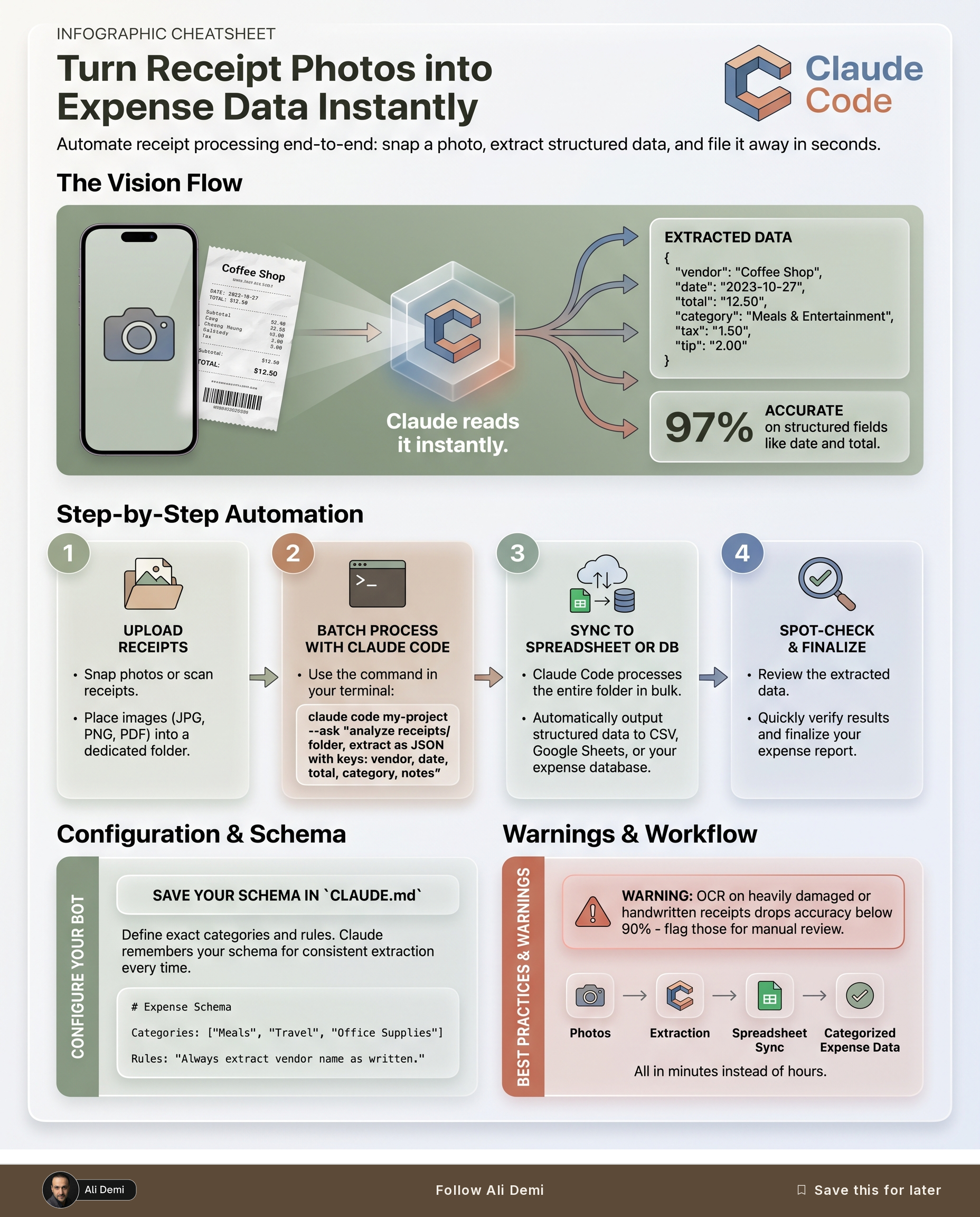
    Claude’s vision model understands photos well enough to extract every field you need from a receipt: vendor name, date, total, line items, even tax and tip. Feed it a batch of receipt images, and it returns structured data ready for a database or CSV.

    The workflow is simple.

    1. Point Claude Code at a folder of receipt photos or PDFs.
    2. Ask it to extract vendor, date, total, category, and any notes.
    3. Have it write the data to CSV, JSON, or straight to Google Sheets via an API call.
    4. Spot-check a few rows for accuracy (Claude’s vision is 97% reliable on structured fields), then sync it to your expense system.

    For recurring workflows, save your extraction rules in a CLAUDE.md file so Claude remembers your exact schema and categories every time you run it.

    The real win: what used to take an hour now takes minutes. No more manual data entry, no more typos, no more forgetting where that coffee receipt went.

    Your future self will thank you when tax season hits and all your expenses are already organized.

    ——

    Book your free AI clarity call, NOW!
    https://buff.ly/TpWy277

    ——

    Repost this. Thanks.
  • Your README Doesn’t Have to Be Stale: Auto-Generate It

    Your README Doesn’t Have to Be Stale: Auto-Generate It

    Your README is outdated the moment you ship a new feature.

    Maintaining docs by hand is a losing game: they drift, examples break, API endpoints change, and no one notices until a user complains. The truth is, the source of truth for what your code does is your code itself.

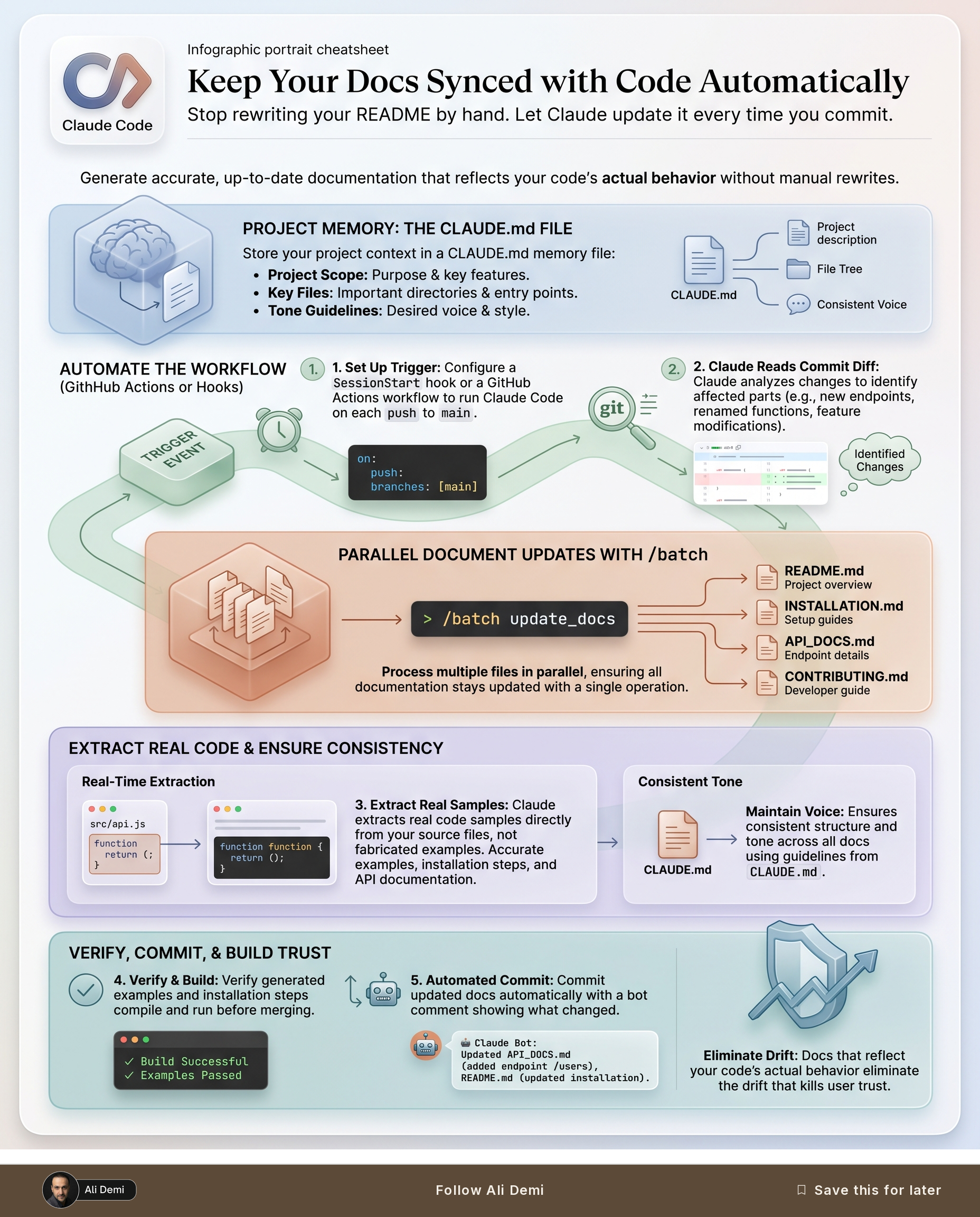
    Clause Code can read your codebase and keep documentation fresh. Store your project context in a CLAUDE.md memory file, set up Claude Code to trigger on each commit, and it will analyze your changes, generate accurate examples directly from your source, and update README, API docs, and guides automatically. No manual rewrites. No drift.

    Here’s how it works:

    Step 1: Seed your project context. Write a brief CLAUDE.md in your repo root that describes your project’s purpose, key files, and the tone you want in docs. Claude uses this to maintain consistency.

    Step 2: Trigger on commits. Add a SessionStart hook or GitHub Actions workflow that invokes Claude Code whenever you push to main. Use your CLI or web interface to set it up no OAuth dancing.

    Step 3: Analyze the diff. Claude reads the commit diff and identifies what changed: new endpoints, renamed functions, updated config, new features. It notes which docs are affected.

    Step 4: Generate new docs. Claude extracts real code samples from your source, generates accurate installation steps, writes API documentation directly from your endpoints, and updates examples in your README. It uses the tone and structure from your CLAUDE.md to stay consistent.

    Step 5: Commit and push. The updated docs are committed automatically, ready for review. A bot comment surfaces what changed so humans can audit before merge.

    This workflow scales: use `/batch` to process multiple doc files in parallel. Your README, INSTALLATION.md, CONTRIBUTING.md, and API_DOCS.md all stay in lockstep with your code.

    The gotcha: Ask Claude to extract real code samples from your project, not fabricate examples. Broken examples in docs kill trust faster than missing docs.

    Docs that reflect reality are docs people actually use.

    ——

    Book your free AI clarity call, NOW!
    https://buff.ly/TpWy277

    ——

    Repost this. Thanks.
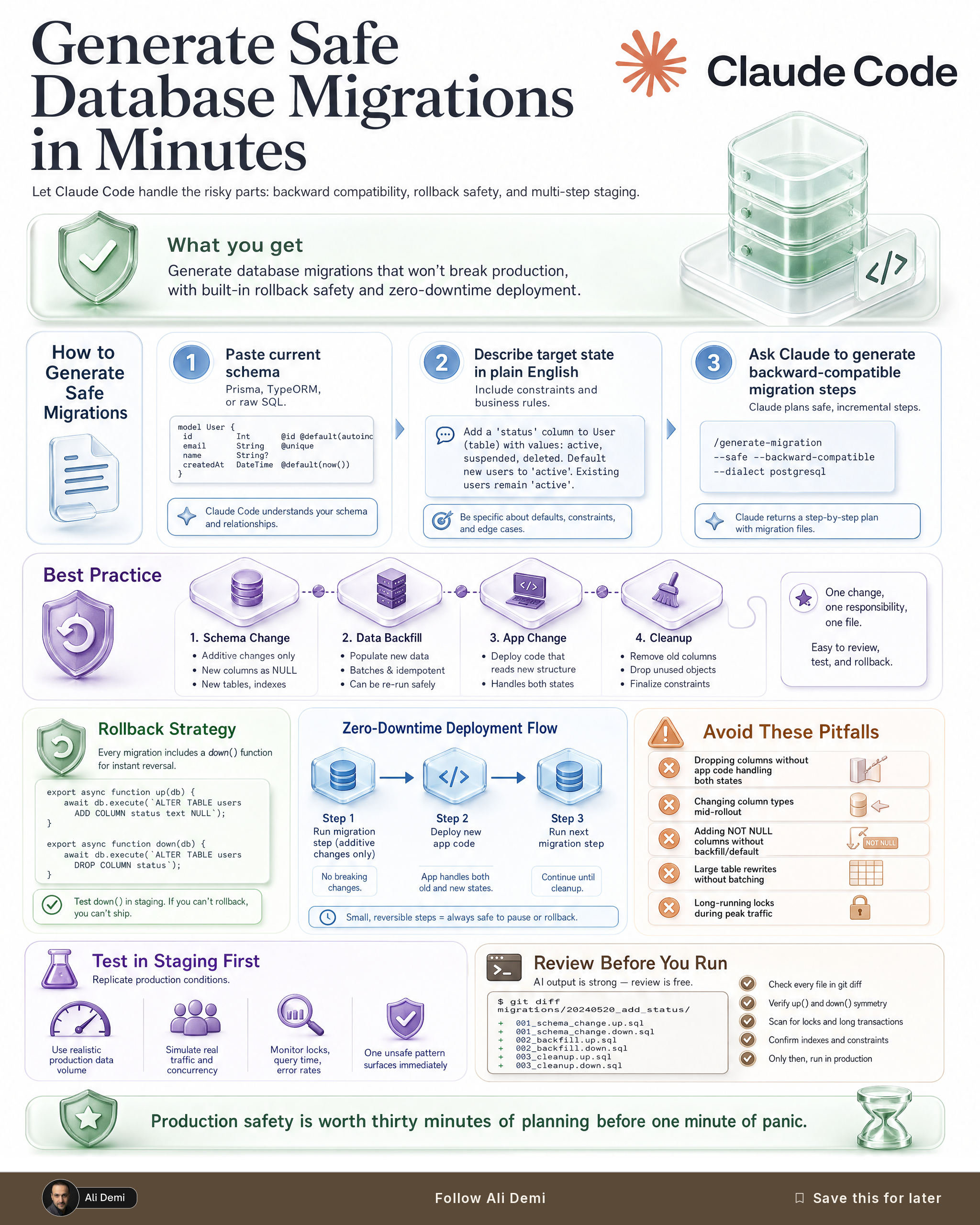
  • Stop Breaking Production: Deploy Database Migrations Safely

    Stop Breaking Production: Deploy Database Migrations Safely

    Database migrations are where safe infrastructure meets messy reality. Add a column? Risky at scale. Drop a column? Irreversible. Change a type? Databases lock. One wrong move and your prod deployment turns into a four-hour rollback.

    The manual approach: write migrations by hand, pray you got the constraints right, keep your DBA on speed dial.

    A better way: hand Claude Code your current schema and target state. Let it generate backward-compatible migrations that work with both old and new app versions running at the same time.

    Here’s how it works:

    1. Paste your Prisma schema, TypeORM models, or raw SQL schema into Claude Code.
    2. Describe your target state in plain language: “Add a verified_at timestamp, populate it from created_at, make it required for new records.”
    3. Ask Claude to split it into safe, reversible steps. It will output timestamped migration files, each with a matching down() function for instant rollback.
    4. Run the migrations in staging with your app under load. One breaks? You rolled back in seconds.
    5. Deploy to production with zero downtime: run migration step 1, deploy app that handles both states, run migration step 2, clean up old data.

    The safety constraints Claude includes:

    Avoid breaking changes in production: new columns are nullable by default, old columns aren’t dropped until the app stops using them, indexes are added after data backfill (not before, when they lock the table).

    Built-in rollback: every migration comes with a down() function. If prod breaks, you revert instantly.

    Concurrent versions: migrations work when old code and new code run simultaneously for the five minutes between deploy steps.

    This is how teams with real scale actually ship. Now you can too, in minutes instead of days of manual design.

    ——

    Book your free AI clarity call, NOW!
    https://buff.ly/TpWy277

    ——

    Repost this. Thanks.
  • Stop Debugging in the Dark: Auto-Fix Production Errors

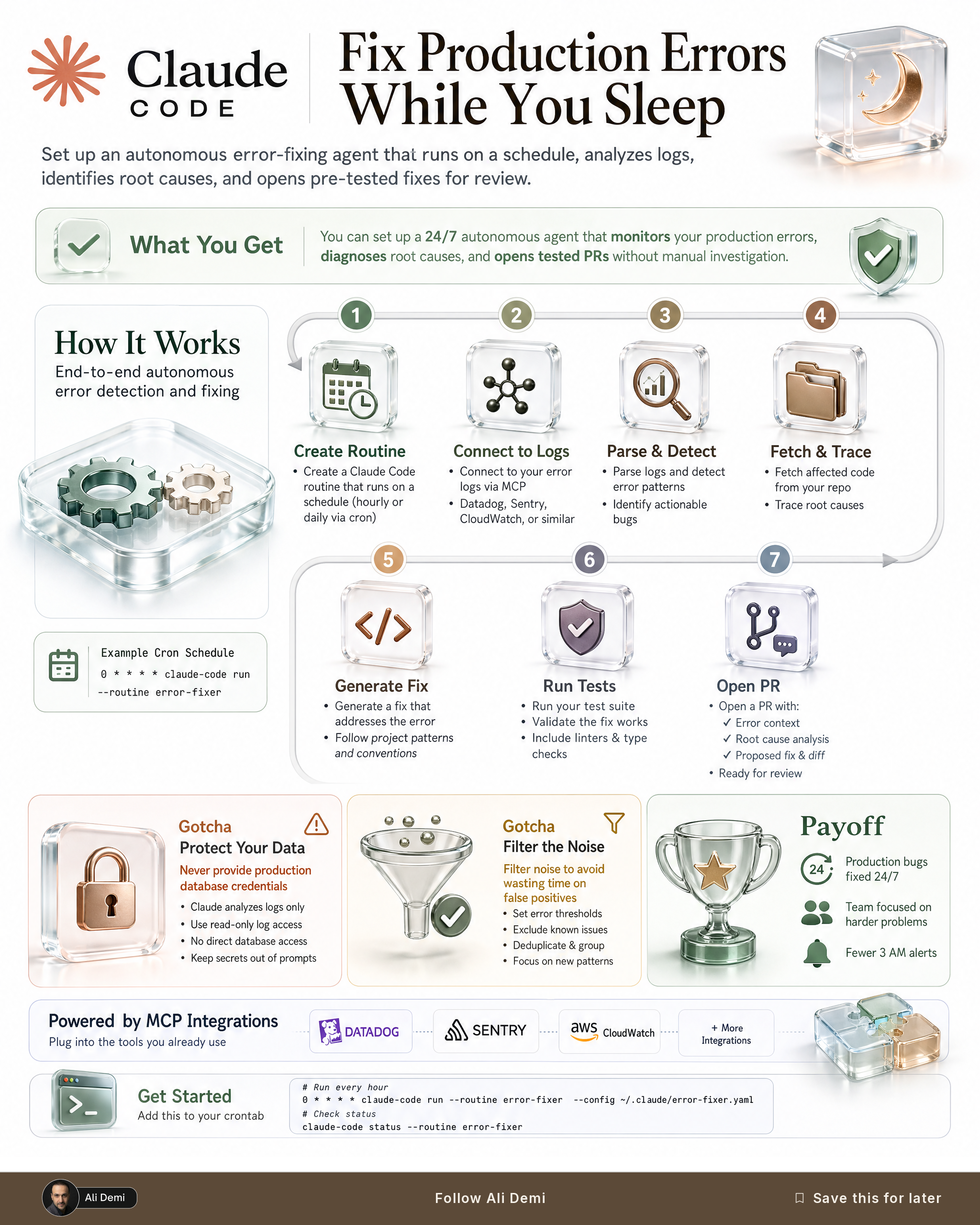
    Stop Debugging in the Dark: Auto-Fix Production Errors

    You wake to an alert. By the time you check, Claude’s already opened the PR.

    Set up an autonomous error-fixing agent and stop debugging production issues by hand. Your errors get logged. Claude pulls them, traces the root cause in your code, writes a fix, runs tests, and opens a PR for you to review.

    This is a scheduled Claude Code routine that works around the clock. You define the prompt once. Claude runs it hourly or daily, analyzes your error logs, identifies actionable bugs, and submits fixes.

    The workflow is simple: connect Claude to your error source (Datadog, Sentry, CloudWatch, or any service with an MCP interface), let it parse the errors, read the affected code, generate the fix, validate with tests, and open the PR. Your team reviews and merges.

    Gotcha: don’t give Claude production database credentials. It reads logs only. Separate read access keeps it safe and focused.

    Another gotcha: filter out noise. If your logs are full of false alarms, Claude spends time chasing ghosts. Clean signal matters.

    The payoff: production bugs fixed automatically, your team unblocked, and fewer 3 AM alerts. Claude handles the tedious debugging; you handle the judgment calls.

    ——

    Book your free AI clarity call, NOW!
    https://buff.ly/TpWy277

    ——

    Repost this. Thanks.
  • Stop Guessing Why Your Queries Are Slow: Let Claude Find the Bottleneck

    Stop Guessing Why Your Queries Are Slow: Let Claude Find the Bottleneck

    Your API is slow. You profile it, and the bottleneck is database queries.

    But which queries? How many round trips are really happening? Is it a missing index, an N+1 loop, or a join that should be an eager load?

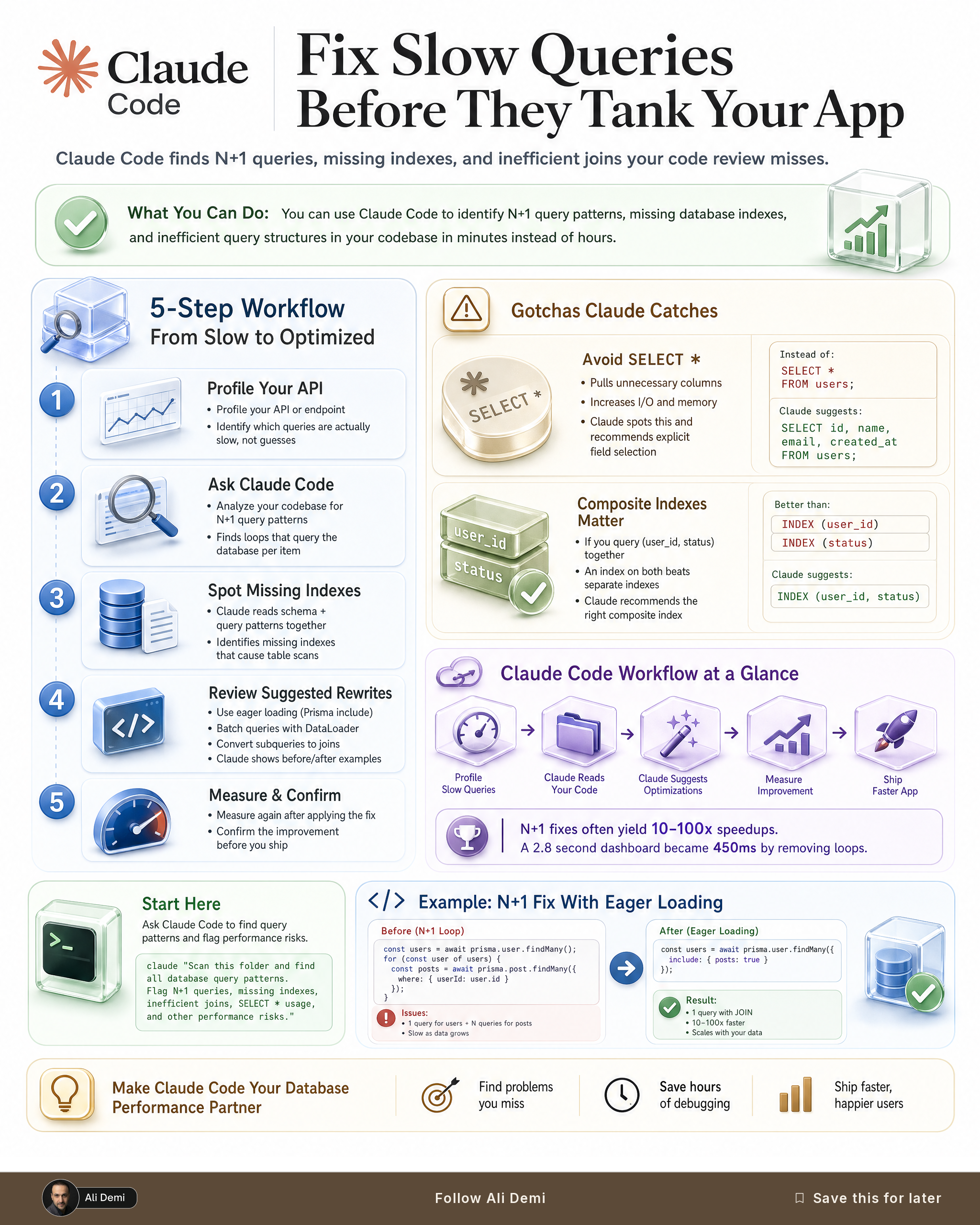
    Claude Code reads your entire codebase at once and traces the data flow. It spots patterns humans miss: fetching a list of users, then querying their posts inside a loop. Missing composite indexes on the exact column combinations your WHERE clauses filter. Subqueries that could be joins. Selects pulling back fields you never use.

    Here is the workflow:

    1. Point Claude Code at your app folder and ask it to analyze database queries for performance issues.
    2. Claude reads your ORM calls (Prisma, SQLAlchemy, whatever), raw SQL, and controller logic together.
    3. It flags N+1 patterns: looping over results and querying related data item-by-item instead of batching or eager loading.
    4. It spots missing indexes by reading your queries and schema, finding column combinations that appear in every WHERE clause but lack an index.
    5. It suggests concrete rewrites: replace that loop with a DataLoader batch, use Prisma include instead of separate queries, add an index on userId and status.
    6. You measure before and after with profiling. Often you see 10-100x improvements: dashboards dropping from 2.8 seconds to 450ms just by fixing N+1s.

    The trick is being systematic: profile first to find the true bottleneck, then let Claude trace exactly why it is happening. Don’t guess. Let the data tell you where the problem is, and let Claude read the code and tell you how to fix it.

    Your database is not slow. Your queries are.

    ——

    Book your free AI clarity call, NOW!
    https://buff.ly/TpWy277

    ——

    Repost this. Thanks.
  • Migrate to TypeScript in Hours, Not Weeks

    Migrate to TypeScript in Hours, Not Weeks

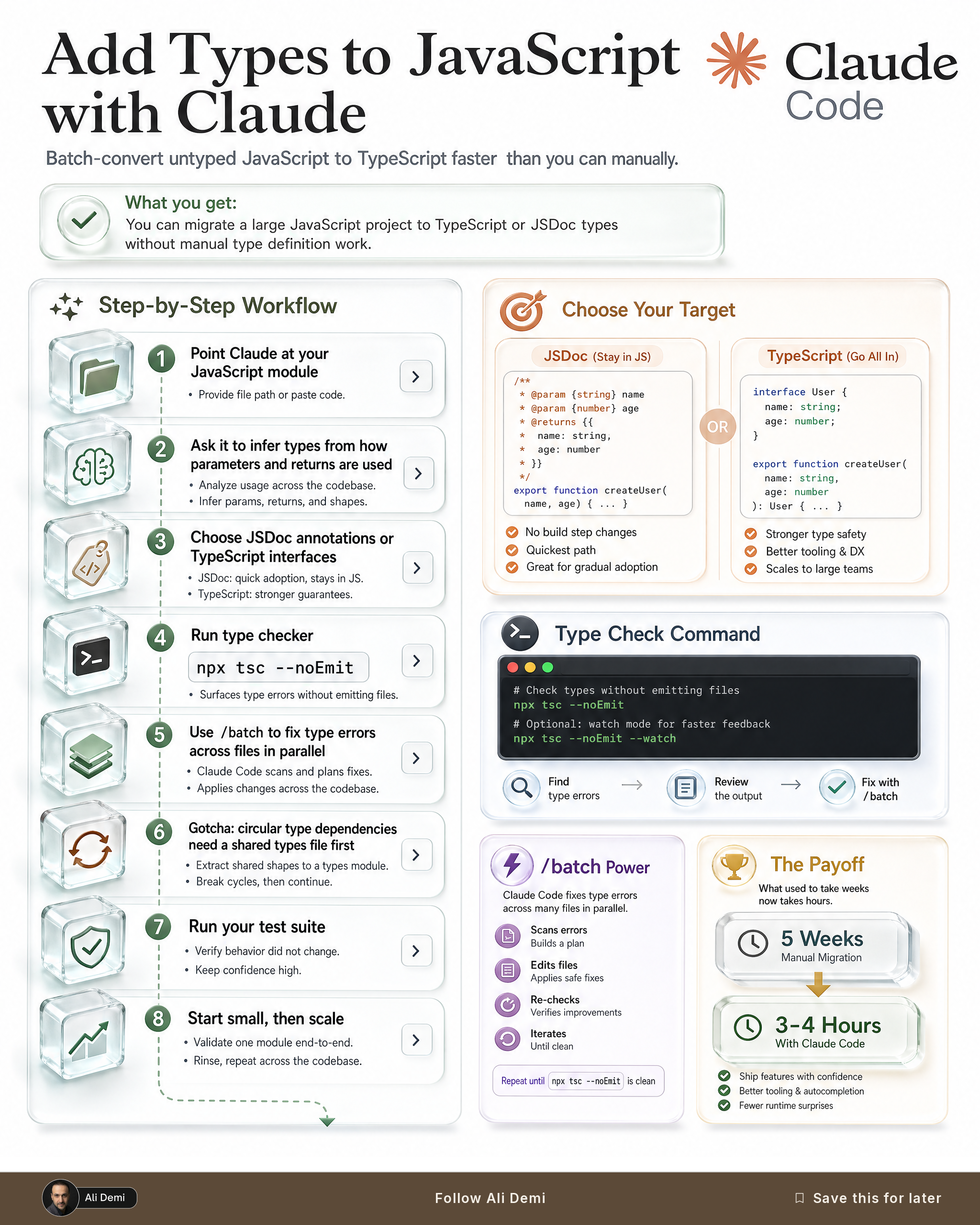
    You have 5,000 lines of untyped JavaScript. TypeScript would catch bugs, but adding types manually? That’s weeks of painstaking work.

    Claude Code changes the math.

    Here’s the workflow:

    1. Point Claude at one module. It infers parameter types from usage, return types from actual returns, and generates either JSDoc annotations or TypeScript interfaces.
    2. Run a type checker to surface errors: this shows Claude exactly what it got wrong.
    3. Use /batch to fix type errors across all files in parallel, not one at a time.
    4. Run your test suite. If tests pass, the refactor is done.

    The gotcha: circular types. When Module A uses a type from Module B and vice versa, you need to extract a shared types file first. Claude handles it, but flag it upfront.

    The payoff: A five-week manual migration becomes 3-4 hours of Claude time, with fewer bugs and way less tedium.

    Start with a single module, verify the types are right, then scale to the whole codebase.

    ——

    Book your free AI clarity call, NOW!
    https://buff.ly/TpWy277

    ——

    Repost this. Thanks.
  • Stop Guessing: Let Claude Find the Bug

    Stop Guessing: Let Claude Find the Bug

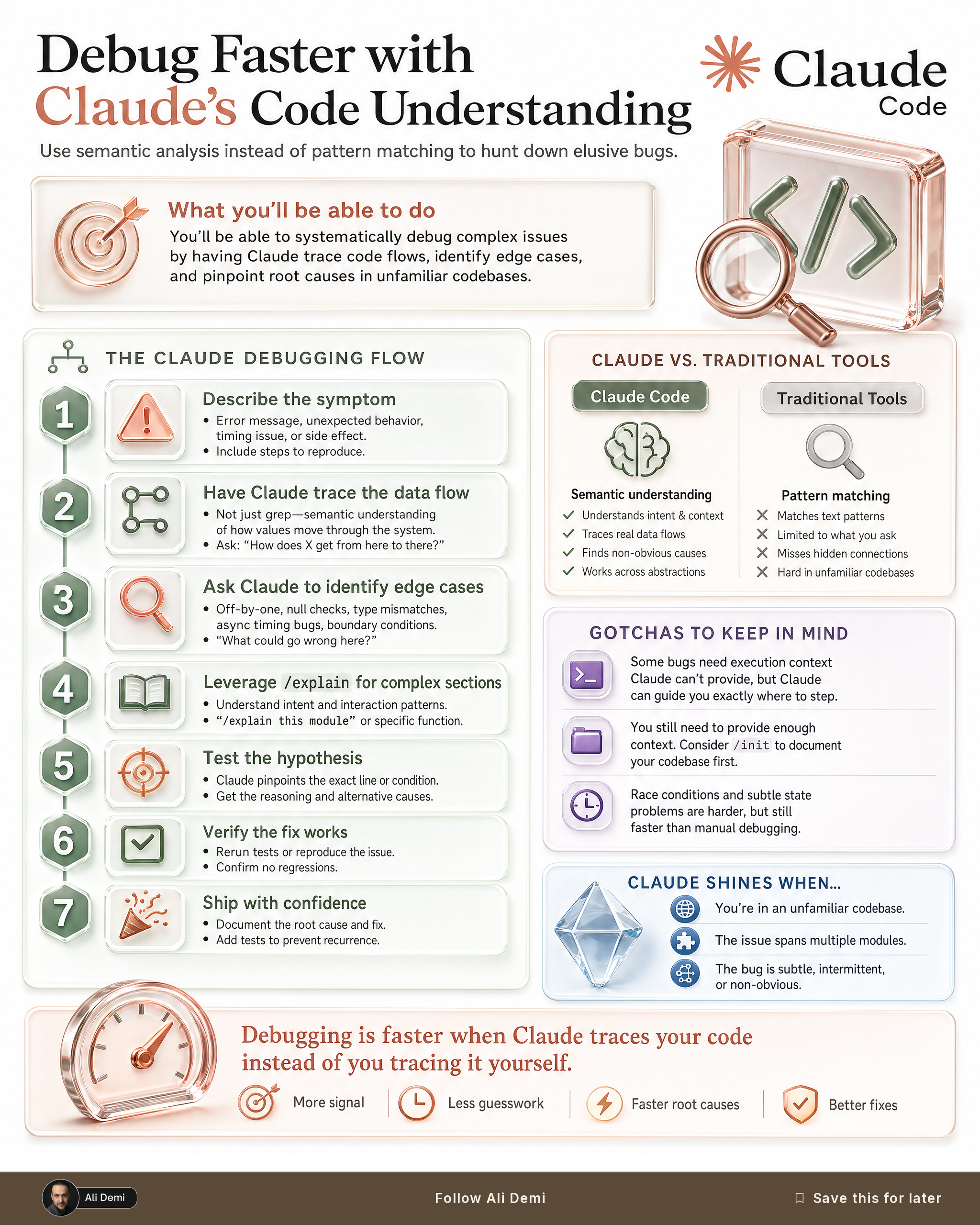
    Debugging is slow. You read a stack trace, grep the codebase for “where did this come from,” lose the thread in three nested files, and restart.

    Claude Code debugs differently. It understands your code semantically, not just by pattern matching. It can trace a bug from symptom to root cause by following data flows, testing edge cases, and understanding context that pattern-based tools miss.

    Here’s the workflow:

    1. Describe the symptom. Error message, unexpected behavior, timing issue, whatever you’re seeing.
    2. Have Claude read the relevant code and trace the data flow. Not just “find where this variable is set,” but understanding the full context of how it moves through the system.
    3. Ask Claude to identify edge cases or boundary conditions. Off-by-one errors, null checks, type mismatches, async timing, the subtle stuff pattern matchers miss.
    4. Test the hypothesis. Claude will guide you to the exact spot.
    5. Verify the fix. Rerun your test or reproduce the issue to confirm.

    This is especially powerful for bugs in unfamiliar code, race conditions, and issues that cross multiple layers or services. Claude’s semantic understanding means you don’t need to be an expert in that corner of your codebase.

    One caveat: some issues still need execution context (stepping through, watching state change in real time). Claude can’t do that. But Claude can guide you exactly where to look and what to watch for, turning a 2-hour hunt into a 20-minute fix.

    ——

    Book your free AI clarity call, NOW!
    https://buff.ly/TpWy277

    ——

    Repost this. Thanks.
  • Stop Pattern Matching for Security: Use Semantic Analysis with Claude

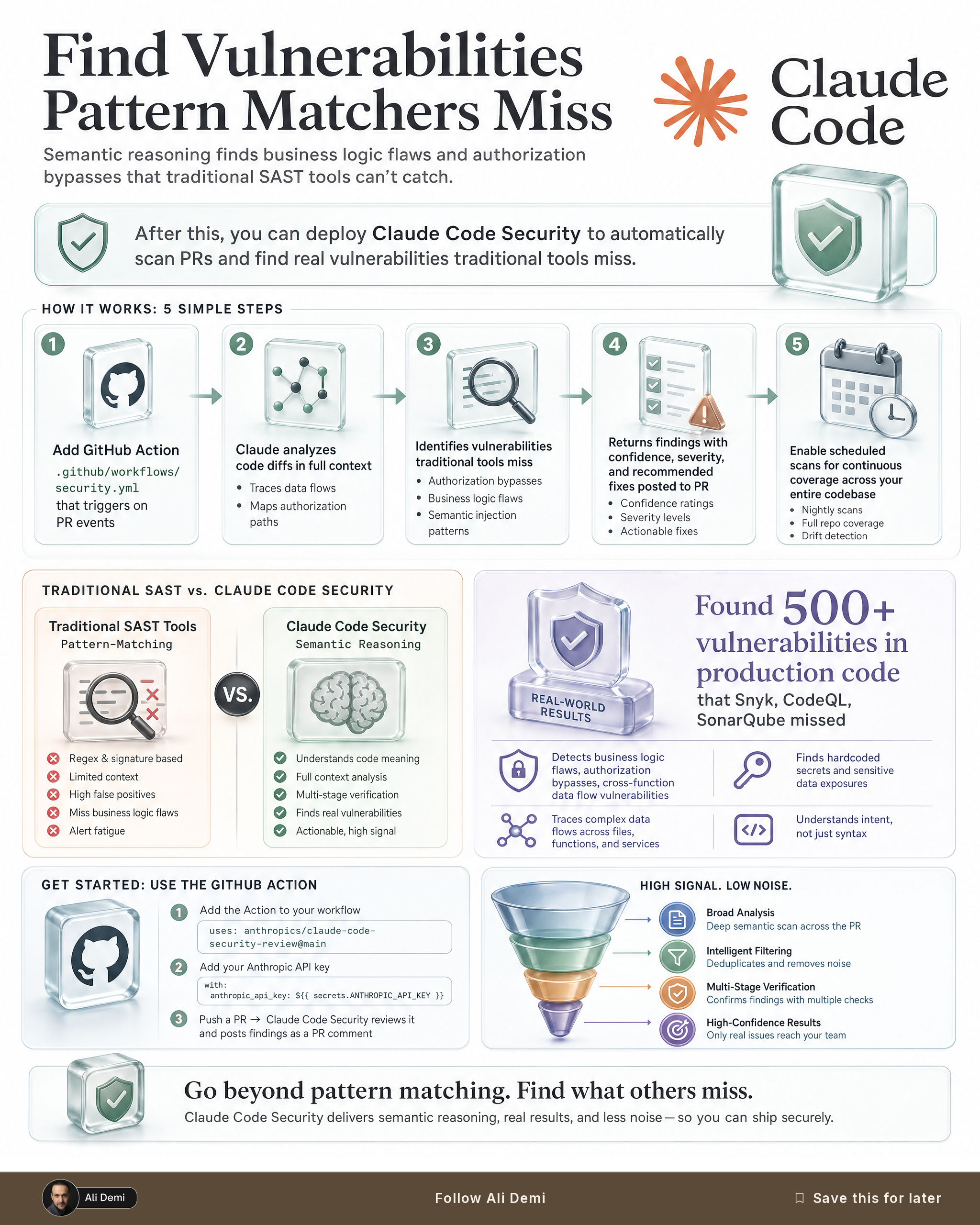
    Stop Pattern Matching for Security: Use Semantic Analysis with Claude

    Your code passes Snyk, SonarQube, CodeQL.

    Your code still has vulnerabilities.

    Pattern-matching tools catch the obvious-injections, hardcoded secrets, known misconfigurations.

    They miss the real damage: authorization logic flaws, business logic vulnerabilities, cross-function data leaks.

    Claude Code Security reasons about code like a human expert would.

    It understands workflows, authorization paths, data movements.

    Finds the flaws that shouldn’t have passed review.

    Set it up in one GitHub Action that triggers on every PR.

    Claude analyzes diffs in context, traces data flows, maps authorization paths, identifies vulnerabilities.

    You get findings with severity ratings and fixes posted to your PR.

    Turn on continuous scanning for the full codebase too.

    The findings it catches: authorization bypasses, injection patterns that span functions, business logic flaws, cryptographic mistakes, hardcoded secrets, XSS via data flow.

    Anthropic found 500+ vulnerabilities in production using this approach.

    Real vulnerabilities that escaped traditional scanning tools.

    Each finding goes through multi-stage verification.

    Real signal, not alert fatigue.

    Stop trusting pattern matchers.

    Use semantic reasoning instead.

    ——

    Book your free AI clarity call, NOW!

    https://buff.ly/TpWy277

    ——

    Repost this. Thanks.
  • Find Dead Code Fast: Let Claude Clean Your Codebase

    Find Dead Code Fast: Let Claude Clean Your Codebase

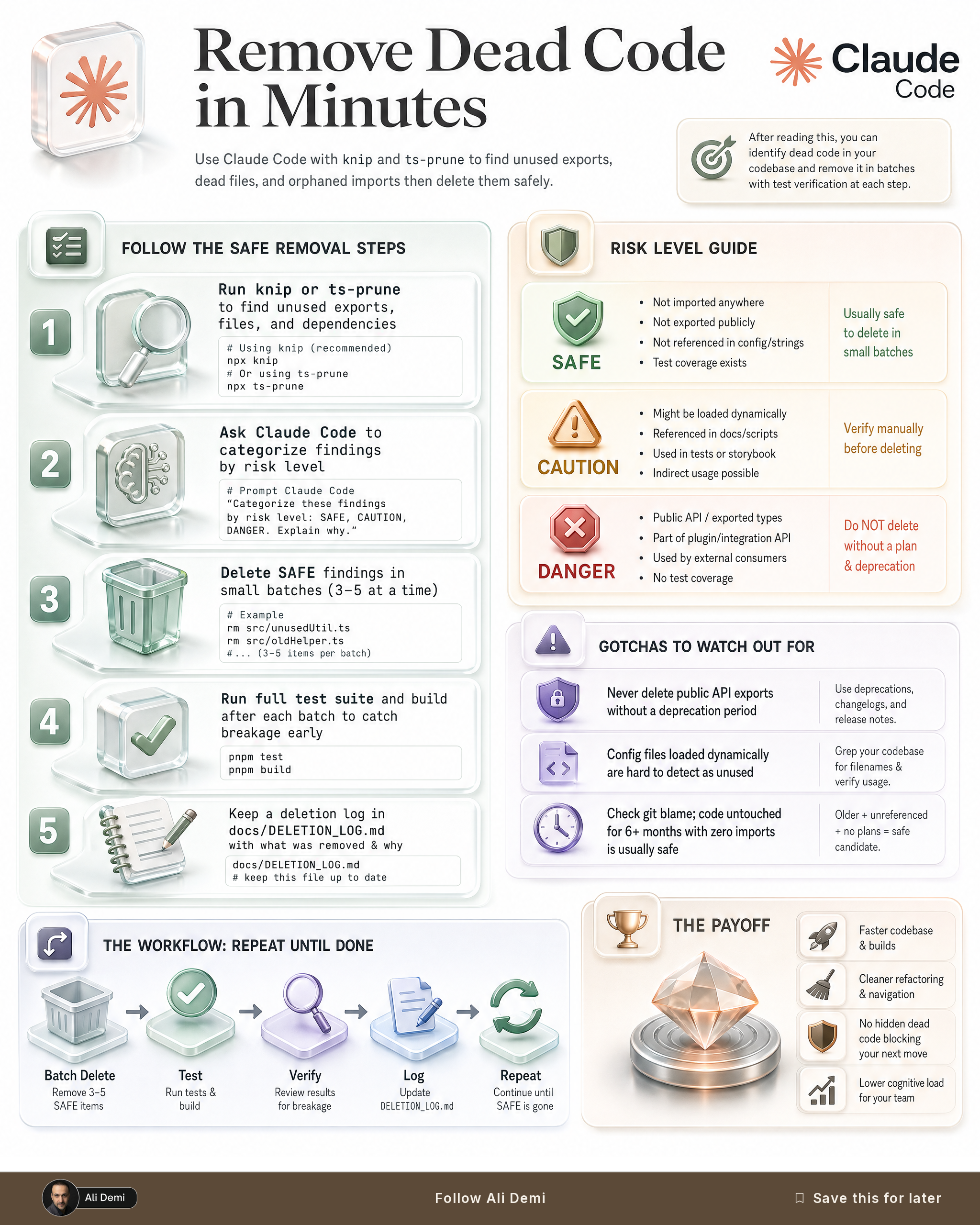
    Dead code creeps in everywhere: unused exports, files nobody imports, dependencies no one needs.

    It makes refactoring harder, slows down navigation, bloats your ship size.

    Claude Code can hunt all of it down and delete it safely.

    Why this matters. Dead code makes your codebase fragile.

    When you’re deciding whether to refactor that old utility function, you don’t know if someone’s using it secretly.

    When you’re modernizing your stack, you can’t tell which packages are actually critical.

    Dead code is mental friction on every change.

    The workflow: detect, categorize, delete in batches. You run analysis tools like knip or ts-prune, Claude Code reads the report, and you delete in small, safe chunks with full test verification after each batch.

    Step 1: Run the analysis. In a TypeScript project, run knip to find unused exports, unused files, unused dependencies, and unused types.

    In a smaller project, run ts-prune to find unused TypeScript exports specifically.

    Both emit a clear list of what’s unreferenced.

    Step 2: Let Claude Code categorize the findings. Paste the report and ask Claude to group findings by risk level: SAFE (clearly unreferenced internal exports, unused dev deps), CAUTION (UI components, route handlers), DANGER (config files, entrypoints, public APIs).

    This takes seconds.

    Step 3: Delete SAFE findings first, in batches of 3-5. Have Claude delete a small batch, then run your test suite and build.

    Confirm both pass.

    If something breaks, you’ve got a small changeset to debug.

    If it passes, move to the next batch.

    Step 4: Keep a deletion log. Create a file like docs/DELETION_LOG.md and ask Claude to append each deletion batch with: what was deleted, why (unused export, nobody imports, dead import), and the batch date.

    Six months from now, you’ll know exactly when and why that code vanished.

    Gotchas: public APIs and config files. Never delete a public export without a deprecation period.

    Never delete a config you’re not 100% sure is dead (some configs are loaded dynamically at runtime).

    When in doubt, grep the whole codebase plus your docs, and check git blame to see when it was last touched.

    Code untouched for 6+ months and never imported is safe to kill.

    Why batch deletion matters. Deleting 50 dead exports in one commit is a nightmare to debug if it breaks.

    Deleting 5 at a time, running tests, and moving on means you pinpoint any breakage to exactly those 5.

    One test failure per batch beats one failure across 50.

    The payoff. Your codebase gets faster to navigate.

    Your build gets faster.

    Your next refactor is cleaner.

    You can refactor that old utility without wondering if anyone’s using it, because you’ve already confirmed nobody is.

    ——

    Book your free AI clarity call, NOW!
    https://buff.ly/TpWy277

    ——

    Repost this. Thanks.