Database migrations are where safe infrastructure meets messy reality. Add a column? Risky at scale. Drop a column? Irreversible. Change a type? Databases lock. One wrong move and your prod deployment turns into a four-hour rollback.
The manual approach: write migrations by hand, pray you got the constraints right, keep your DBA on speed dial.
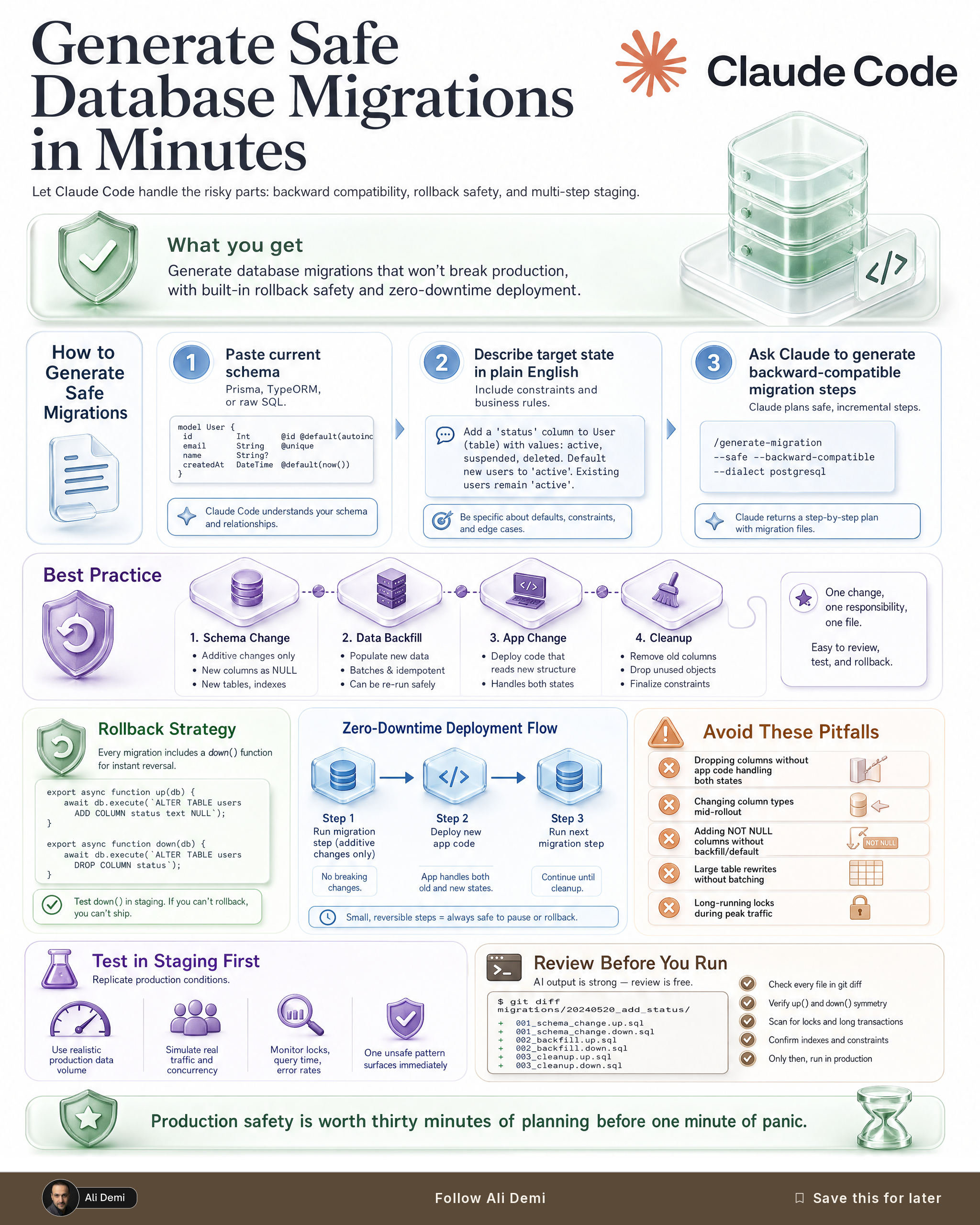
A better way: hand Claude Code your current schema and target state. Let it generate backward-compatible migrations that work with both old and new app versions running at the same time.
Here’s how it works:
- Paste your Prisma schema, TypeORM models, or raw SQL schema into Claude Code.
- Describe your target state in plain language: “Add a verified_at timestamp, populate it from created_at, make it required for new records.”
- Ask Claude to split it into safe, reversible steps. It will output timestamped migration files, each with a matching down() function for instant rollback.
- Run the migrations in staging with your app under load. One breaks? You rolled back in seconds.
- Deploy to production with zero downtime: run migration step 1, deploy app that handles both states, run migration step 2, clean up old data.
The safety constraints Claude includes:
Avoid breaking changes in production: new columns are nullable by default, old columns aren’t dropped until the app stops using them, indexes are added after data backfill (not before, when they lock the table).
Built-in rollback: every migration comes with a down() function. If prod breaks, you revert instantly.
Concurrent versions: migrations work when old code and new code run simultaneously for the five minutes between deploy steps.
This is how teams with real scale actually ship. Now you can too, in minutes instead of days of manual design.
——
Book your free AI clarity call, NOW!
https://buff.ly/TpWy277
——
Repost this. Thanks.
Leave a Reply