Database migrations are one of the most error-prone parts of development.
You describe the change, then spend an hour writing the SQL, another hour testing the rollback, and hope you didn’t miss an index or a constraint.
Here’s how to let Claude handle the whole thing.
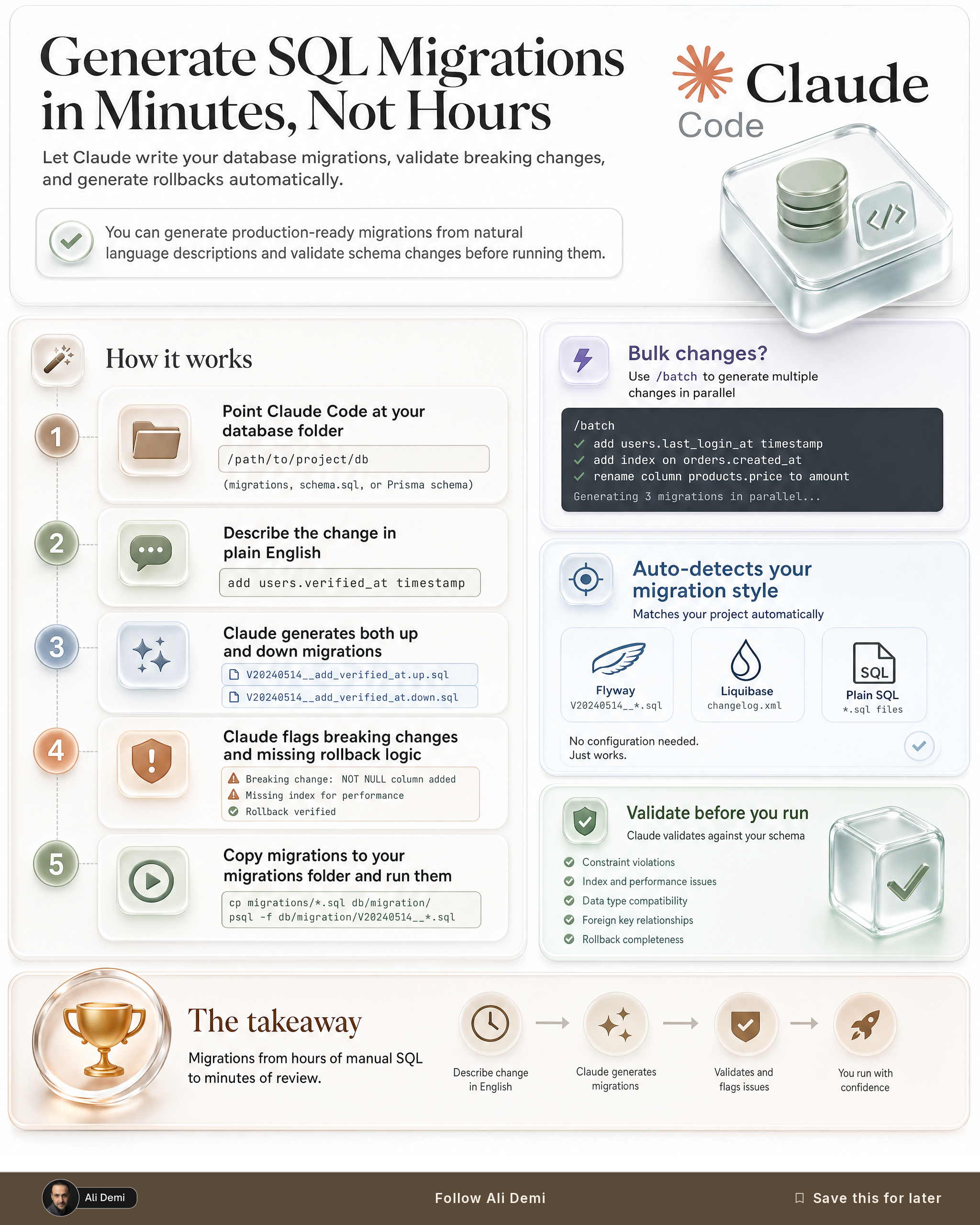
- Point Claude Code at your schema folder or migration history.
- Describe the change in plain English: add a column, rename a table, create an index.
- Claude generates the up migration, the down migration, and checks for breaking changes.
- Review the generated files, run them, Claude confirms success.
For bulk changes, use /batch to generate multiple migrations in parallel.
Claude catches the gotchas: missing rollbacks, breaking existing queries, forgotten constraints.
Your migrations are tested, documented, and safe to commit.
——
Book your free AI clarity call, NOW!
https://buff.ly/TpWy277
——
Repost this. Thanks.
Leave a Reply